250+ industry leaders trust Workist


Orders arrive by email or phone, questions by phone, changes by email, confirmations as PDF. Workist takes all of it, matches it to the right document in Sage 100 and only hands your team what needs a decision.

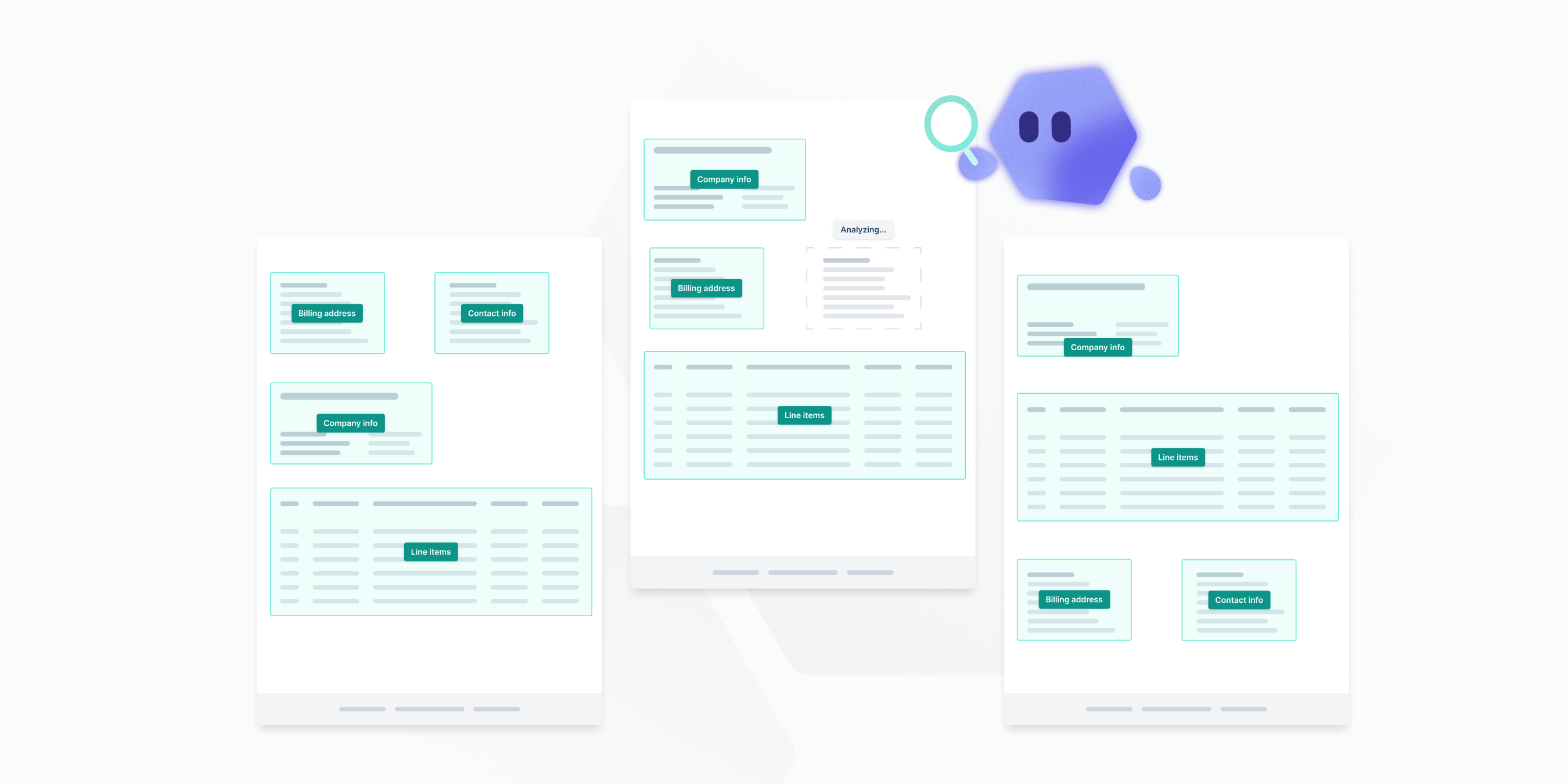
Orders, inquiries, order confirmations and invoices. The agent reads every layout, no templates to set up.
The Phone Agent answers calls, recognizes the customer by phone number and tells them their price and current stock from Sage 100.

Your team tells Worki what to do. Worki does it in Sage 100 and reports back.

Follow up on quotes, create orders, check open documents. Runs on a schedule in the background.

The Order Agent reads PDF orders from email, fax and scans and checks every line item against the price Sage 100 calculates for exactly this customer. It matches open quotes automatically. Then it creates the sales order, and your team stops typing orders by hand.

The Phone Agent is available around the clock, recognizes the customer and answers the questions that fill an inside sales day: price, lead time, availability. Customer price and stock come live from Sage 100.
Once the customer has said yes, Worki creates the sales order with the line items from the quote in Sage 100. Done before your team sits down.
One sentence to Worki is enough: “Follow up by email with every customer whose quote is older than 14 days.” Worki finds the quotes in Sage 100, writes the emails in your tone and sends them. On request, the Phone Agent calls.
A customer orders for the first time? Worki reads company name, address and contact details from the email and creates the customer in Sage 100 once you confirm. The order can follow right away.

Workist reads your suppliers’ order confirmations, compares them with the purchase order in Sage 100 and takes over prices, quantities and dates. Only deviations reach your purchasing team.
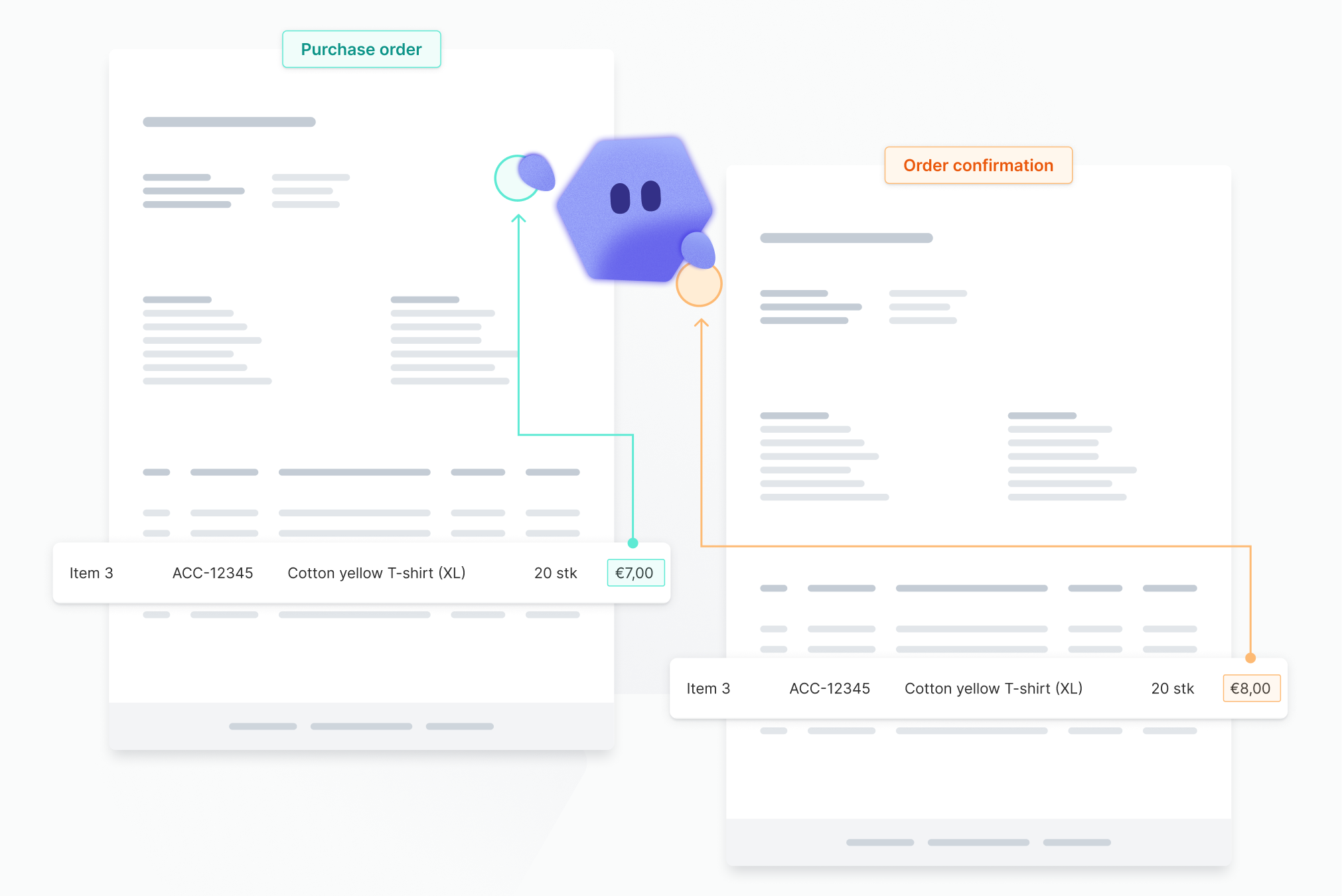
Generic AI tools don’t know your ERP. Classic automation knows one process only. Workist brings both together in one platform for Sage 100.
Order Agent, Phone Agent and Inbox Agent are trained on their process, work with your customers, items and prices from Sage 100 and have millions of documents behind them. They run in the background, speak up only when something is really unclear and deliver the same result every day.
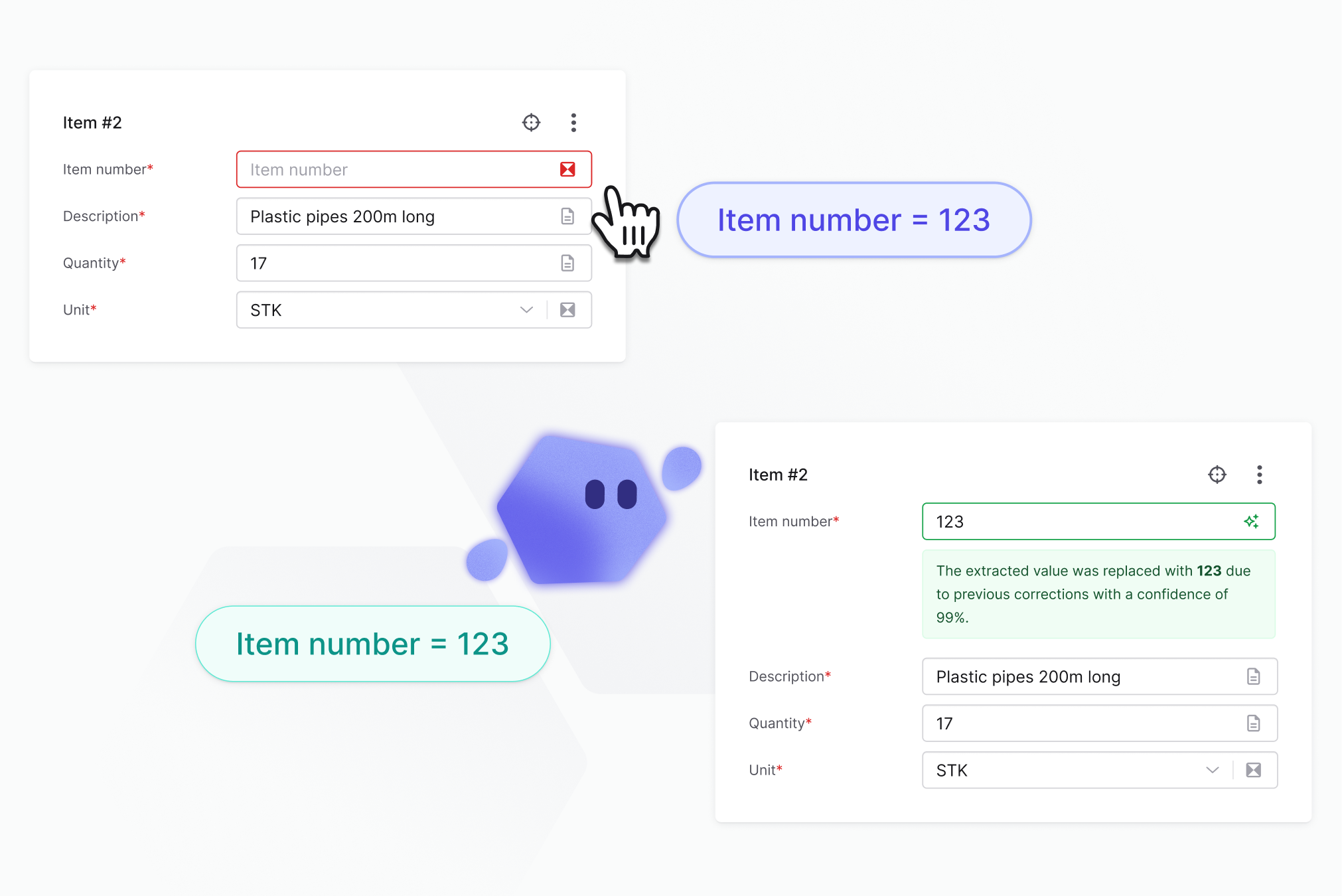
Worki gets its tasks in chat. It knows your customers, items, prices, stock and documents in Sage 100, writes emails, makes calls, creates quotes, orders and new customers and answers questions about your data. Whatever you explain once, it does on its own from then on.
See Worki in action:
How you give Worki a task:
Pick a case and follow how Workist handles it from arrival to the document in Sage 100.
Order by emailPhone call: price, availability, orderFollow up on open quotes Master data: new customer
From the incoming order to the sales order in Sage 100
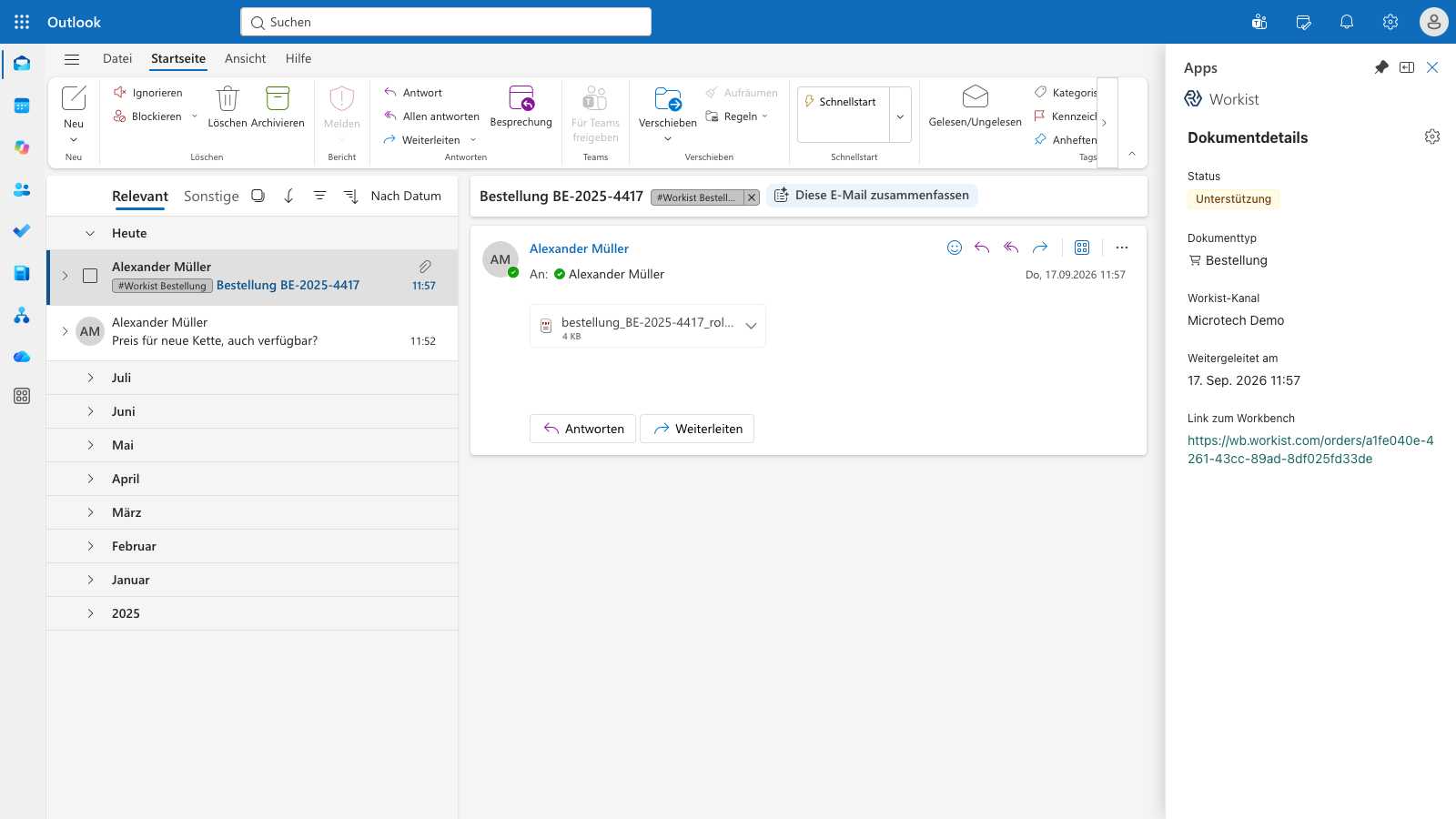
Order in the inbox. The Workist add-in shows document type and status right in Outlook.
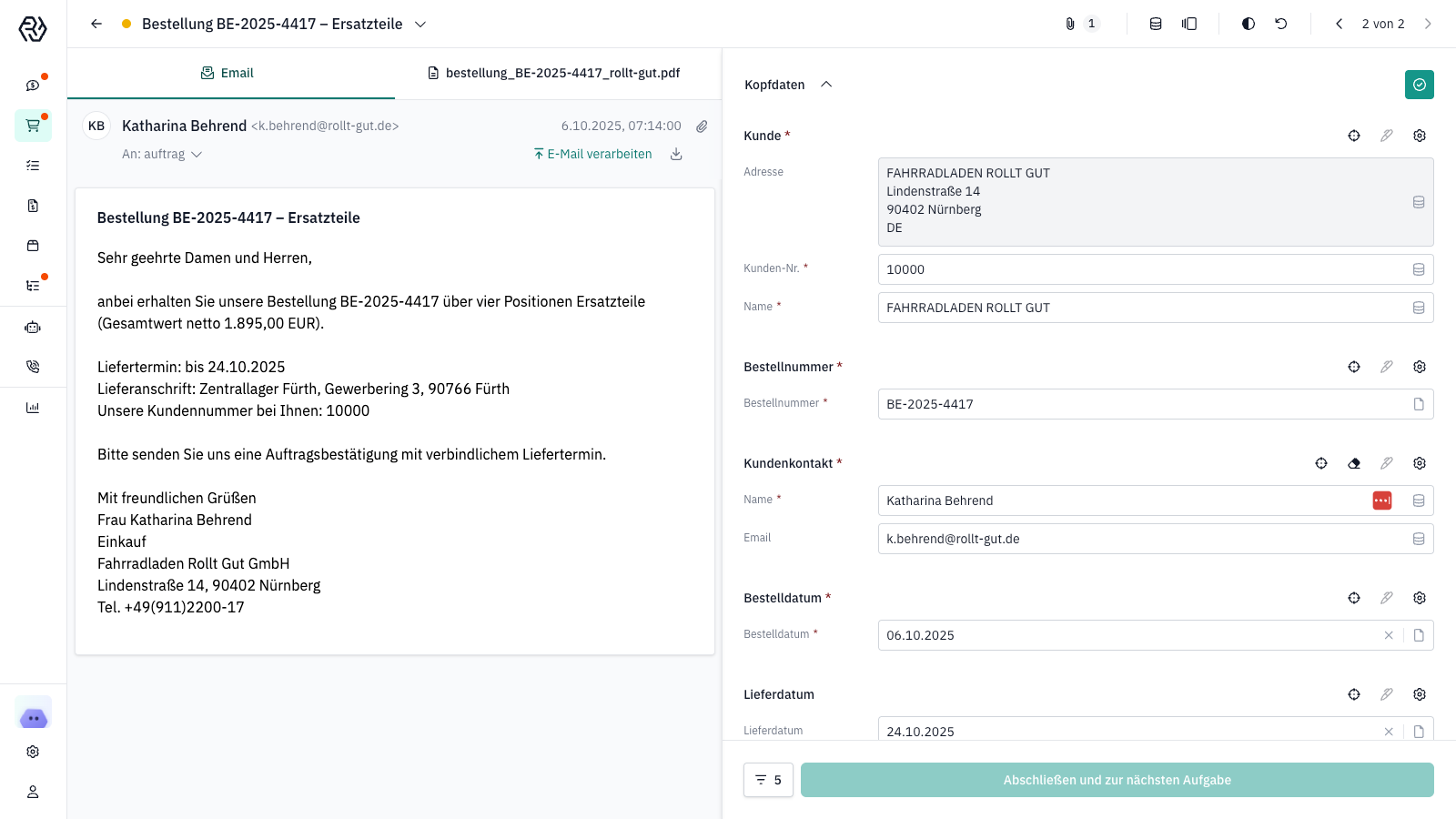
Workist extracts the header data and matches the customer from Sage 100.
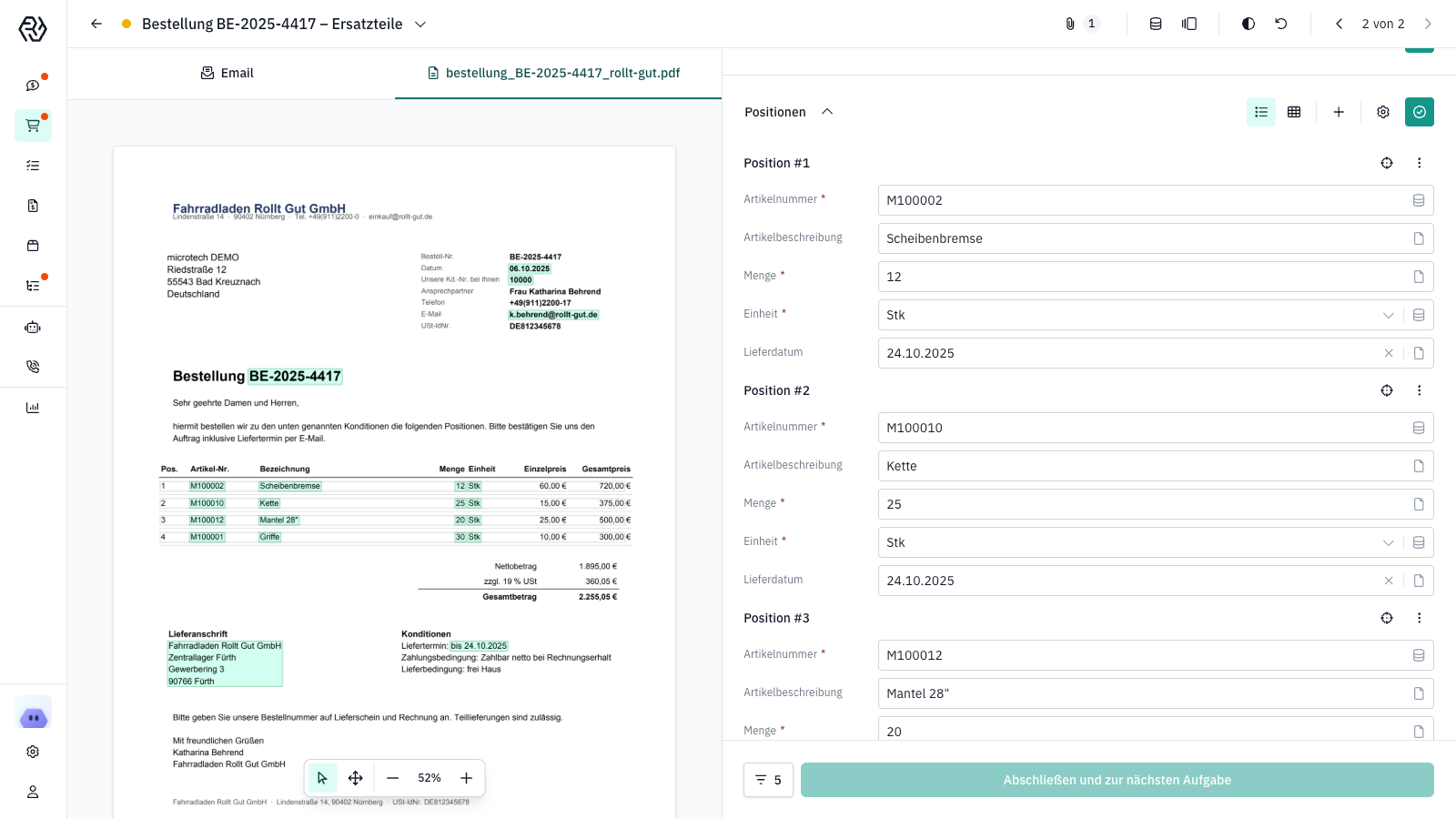
Line items are checked against item numbers and the customer price, with the document alongside for comparison.
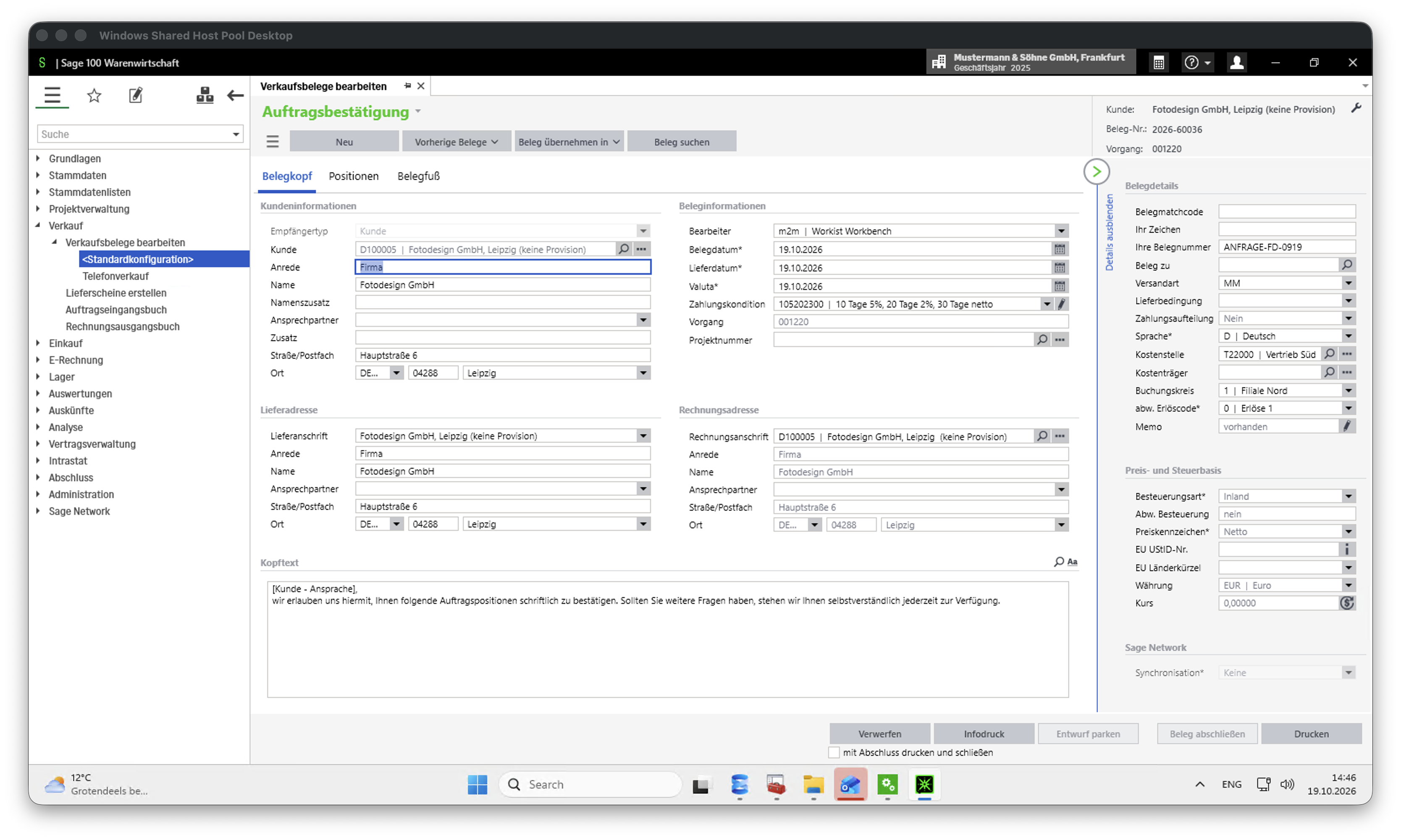
Sales order created in Sage 100 with all line items.
The order lands as a PDF in your sales inbox. Workist picks it up automatically.
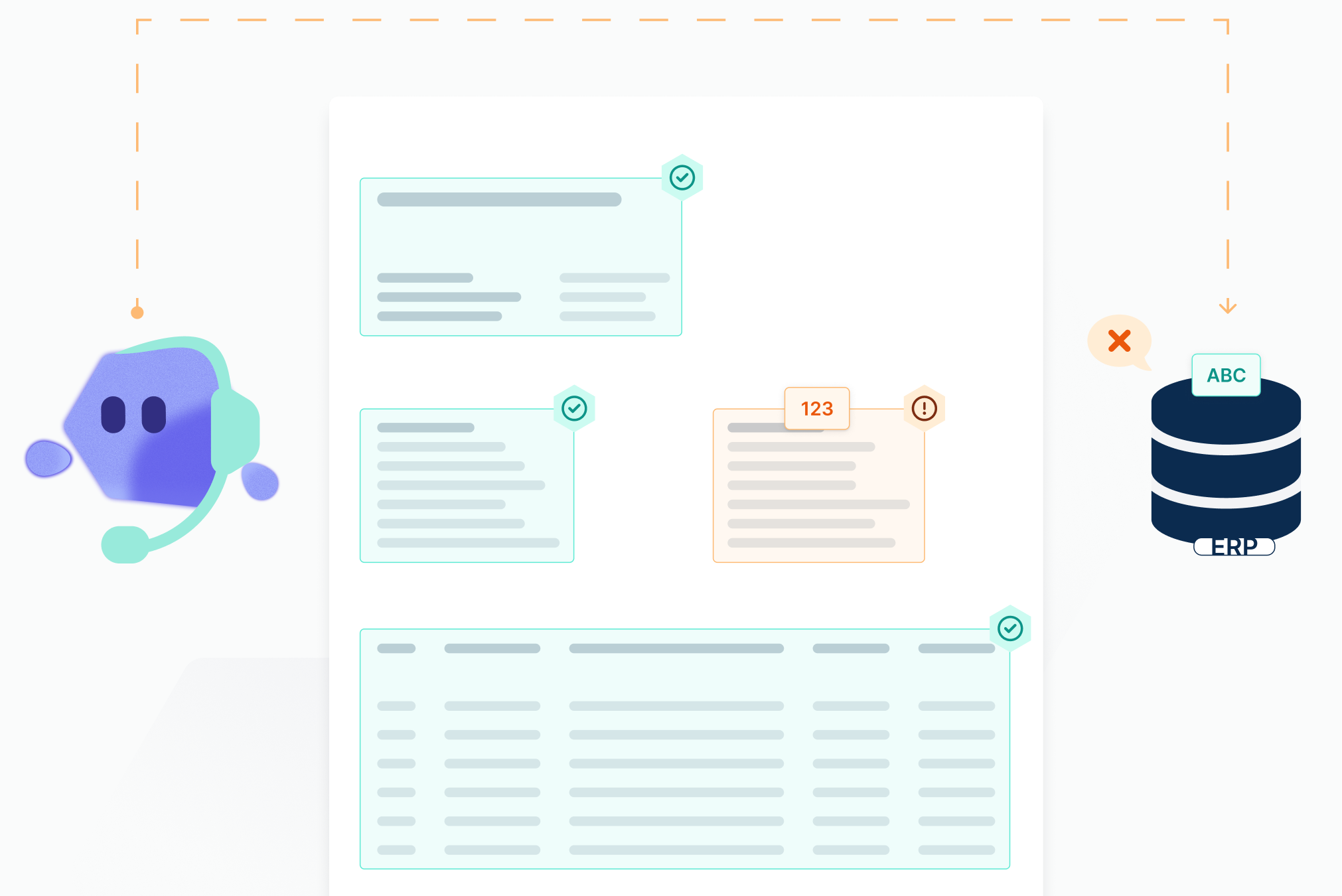
Header and line item data are extracted and checked against customers, items and the price Sage 100 calculates for exactly this customer.
Clear documents go through. If a price differs, the agent flags the line item and asks your team.
The sales order is created through the Workist Sage 100 Connector, PDF and email are archived on the document.
From the call to the answer and the created sales order
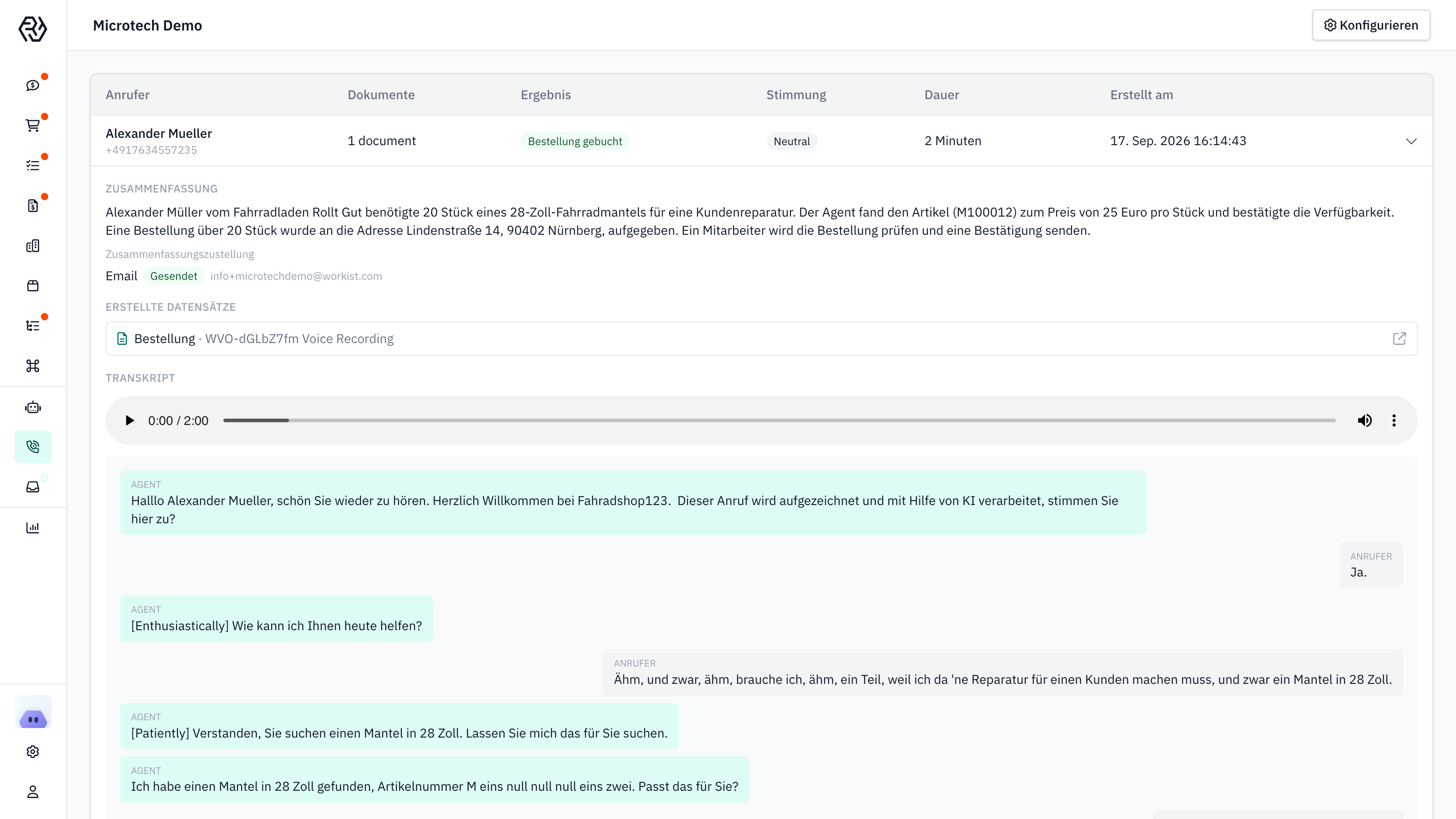
The Phone Agent answers the call, the customer is recognised by phone number.
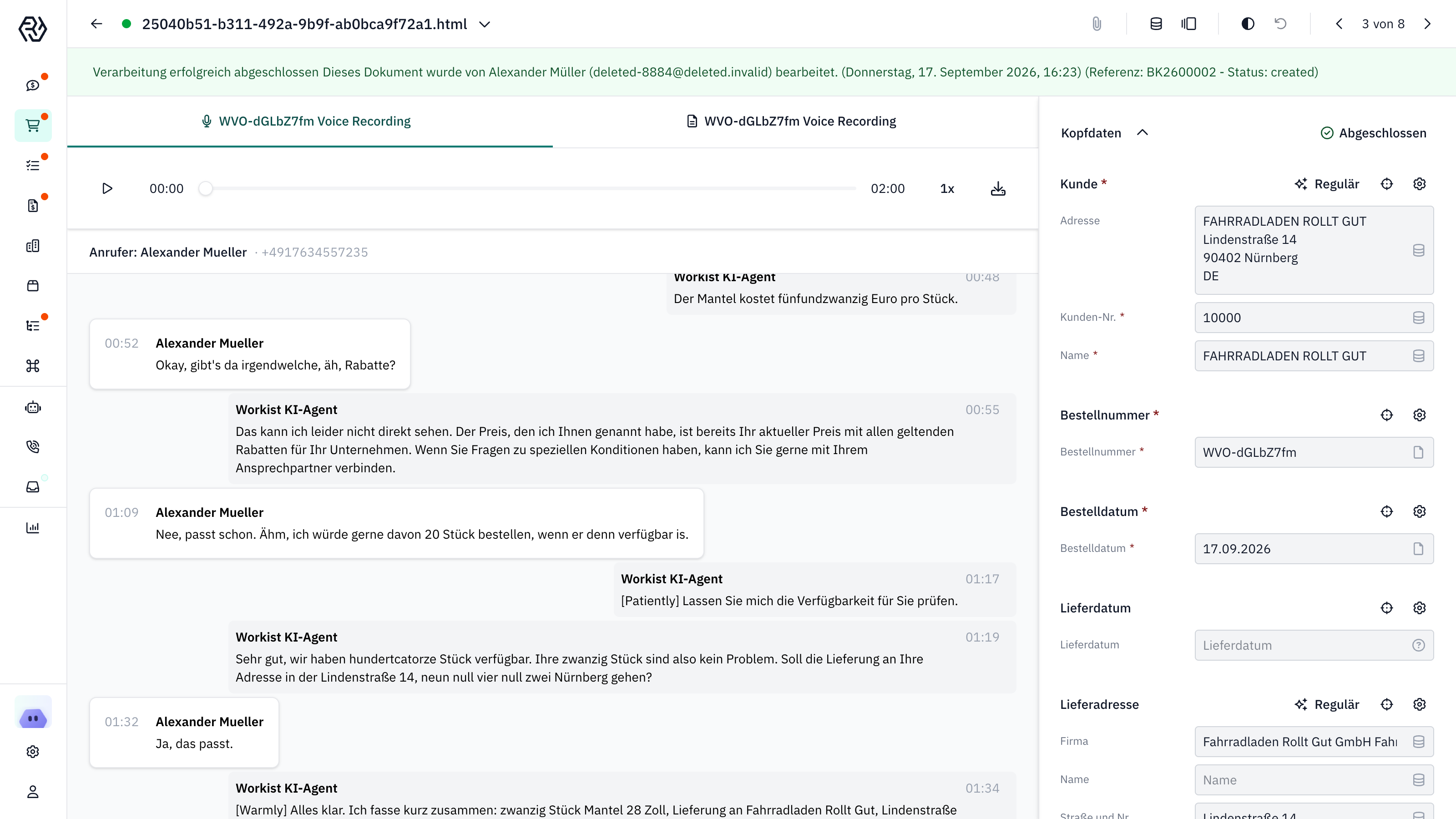
Customer price and stock come from Sage 100 during the conversation.
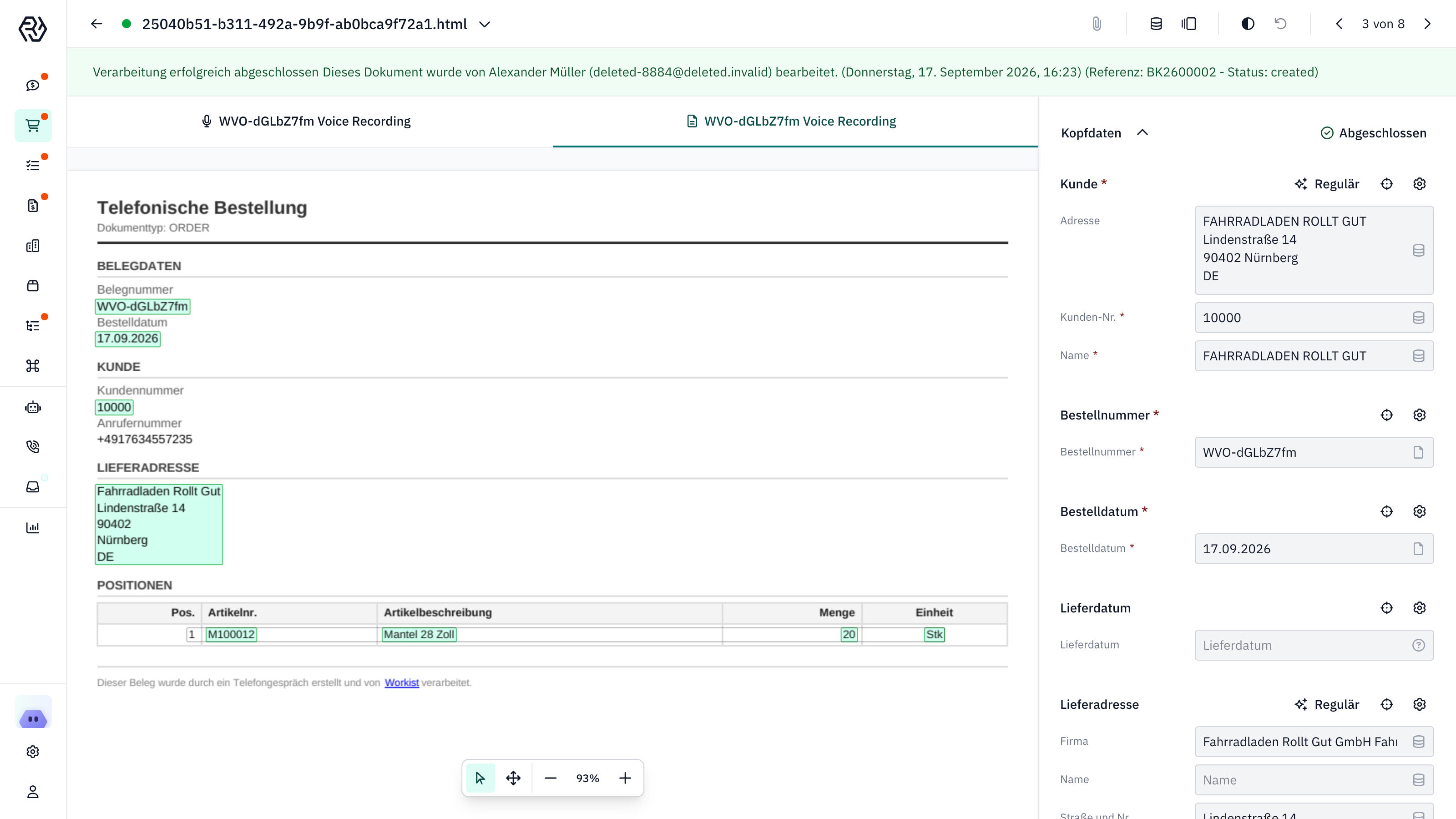
The conversation becomes a phone order with header data and line items.
Order booked: summary, recording and transcript are stored on the record.
The Phone Agent picks up and recognises the customer by phone number.
The customer price including discounts and the stock come live from Sage 100. The agent only quotes prices to callers it has identified as customers.
Item, quantity and delivery address are confirmed in the conversation. The result is a phone order with header data and line items.
The sales order is created in Sage 100. Summary, recording and transcript are stored on the record in Workist.
From the open quote to the finished follow-up email in Outlook
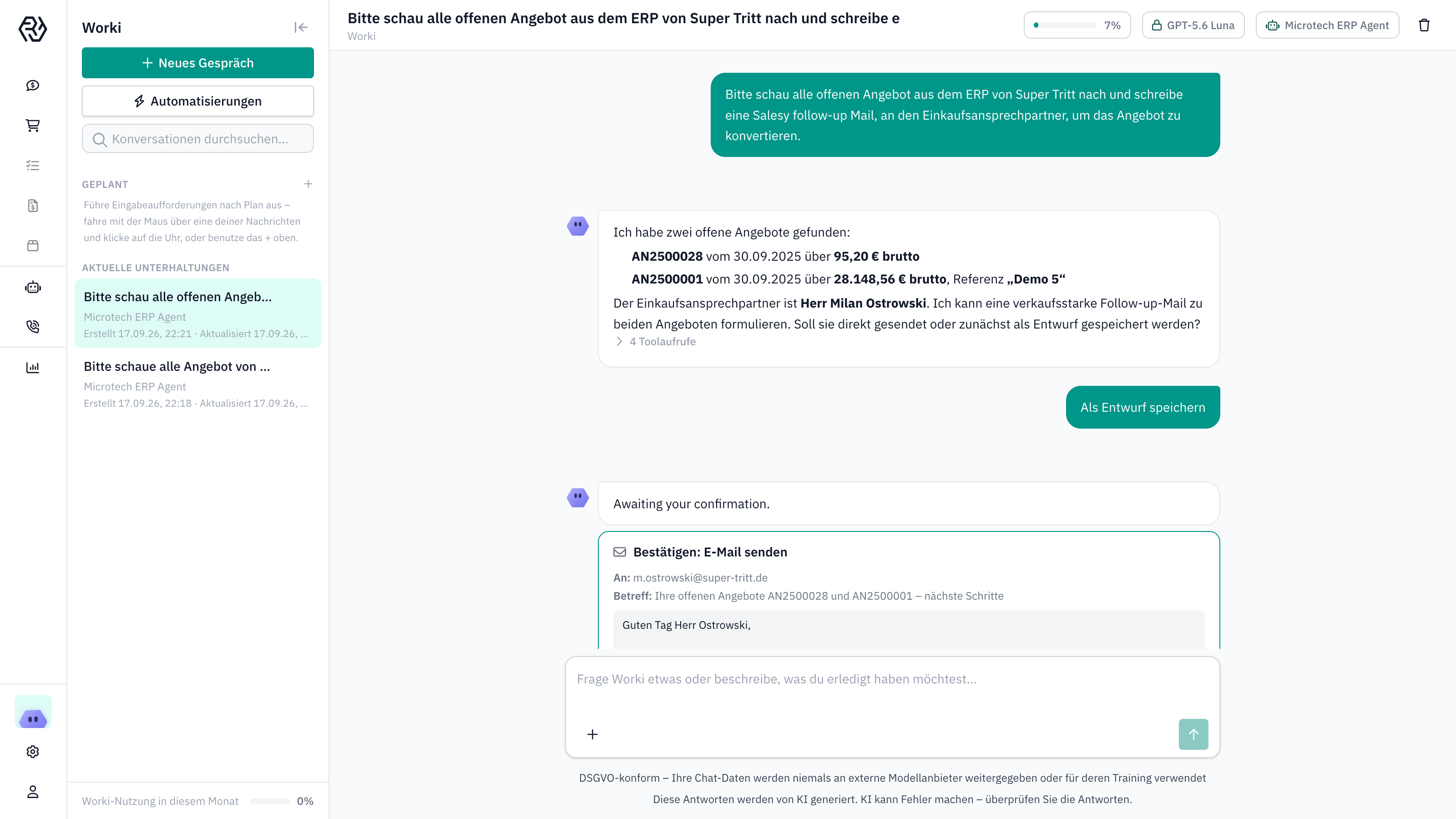
Worki finds two open quotes for the customer in Sage 100.
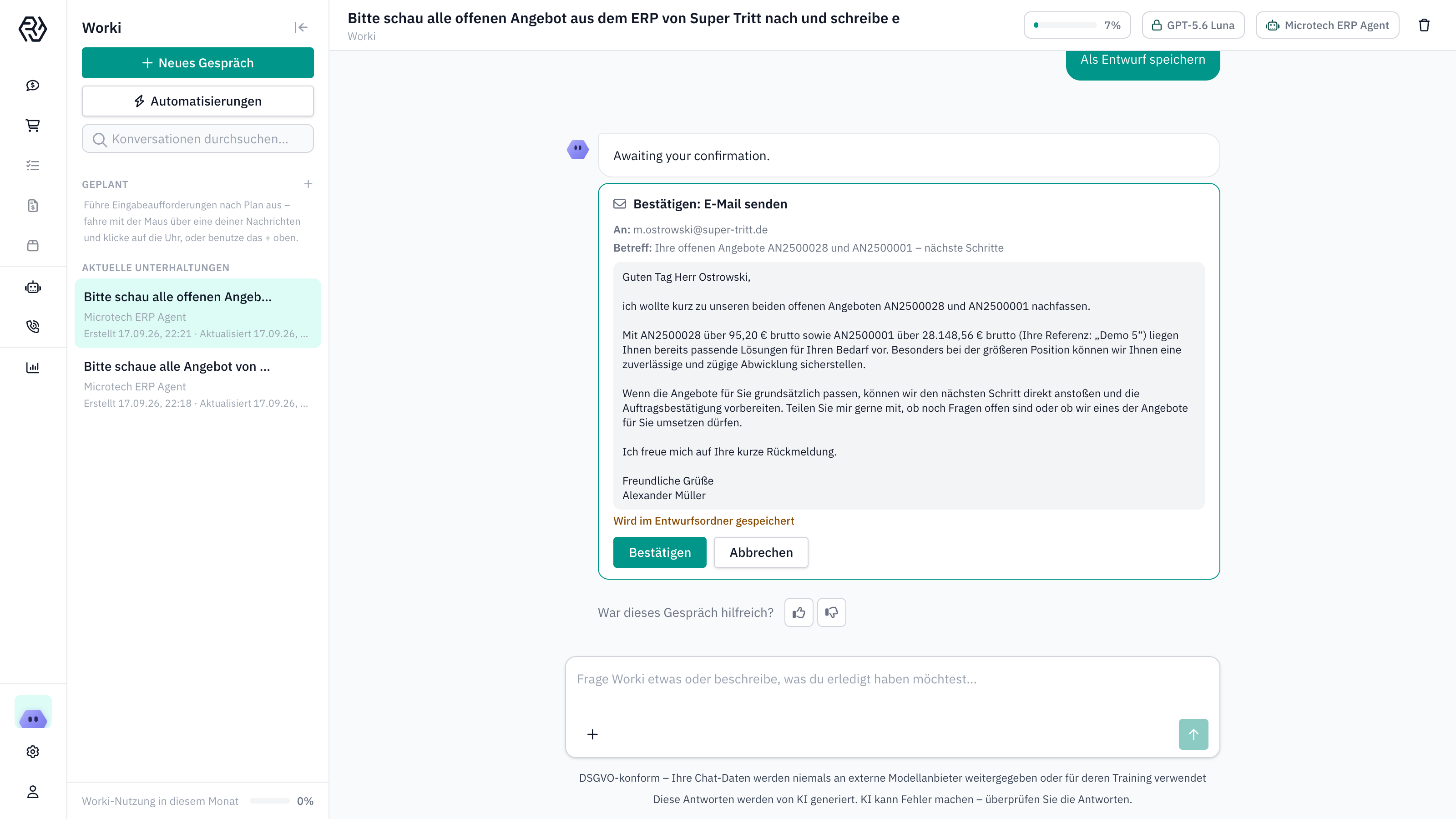
The email draft is waiting for your confirmation.
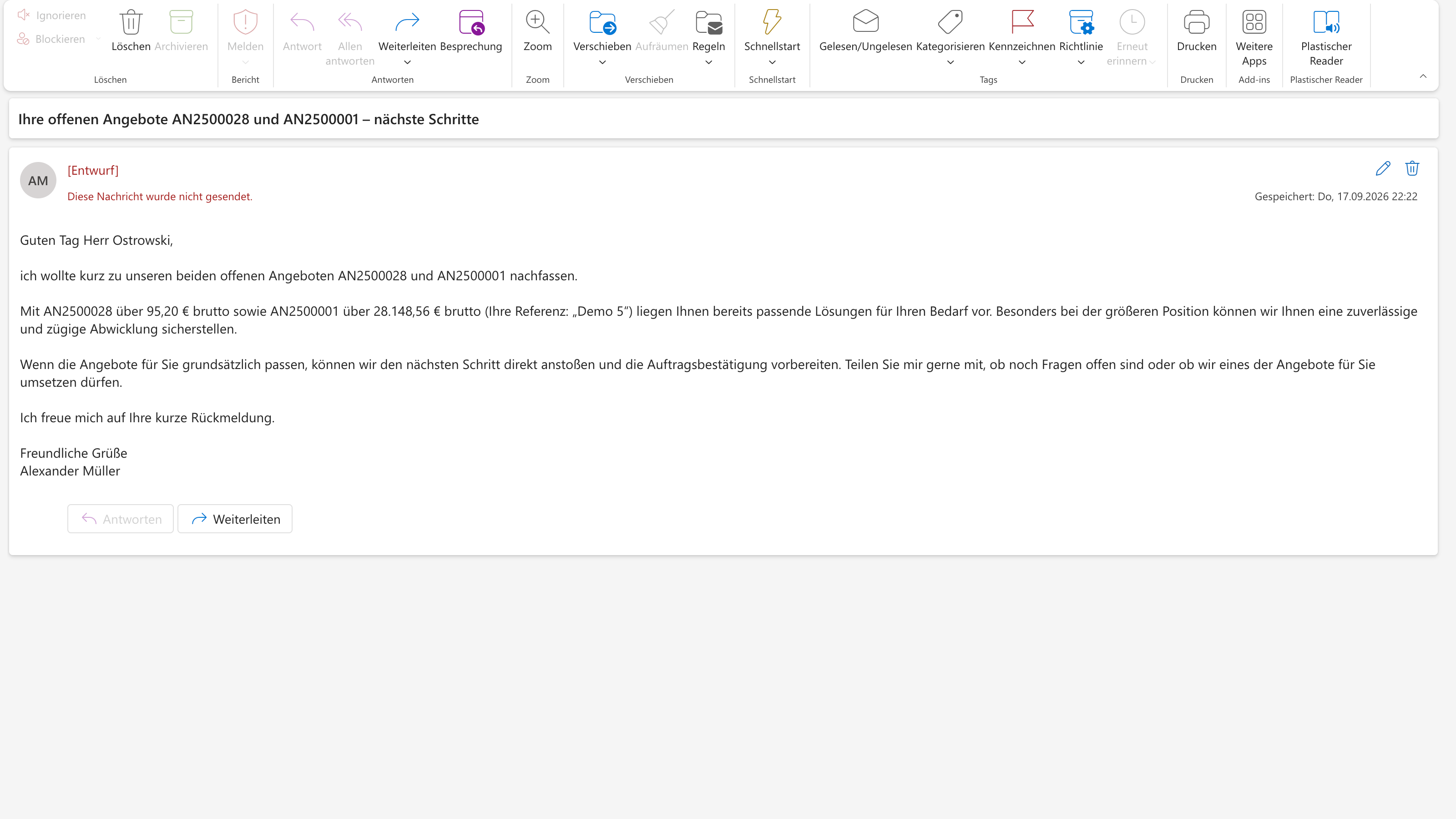
The draft sits in Outlook, addressed and ready to send.
You ask Worki to look up a customer’s open quotes in Sage 100. Worki lists the quotes with line items and amounts.
Worki writes the follow-up email referencing both quotes. You read it and confirm with one click.
The draft lands in your mailbox, addressed to the right contact. Send, done.
From a new customer’s email to the customer master in Sage 100
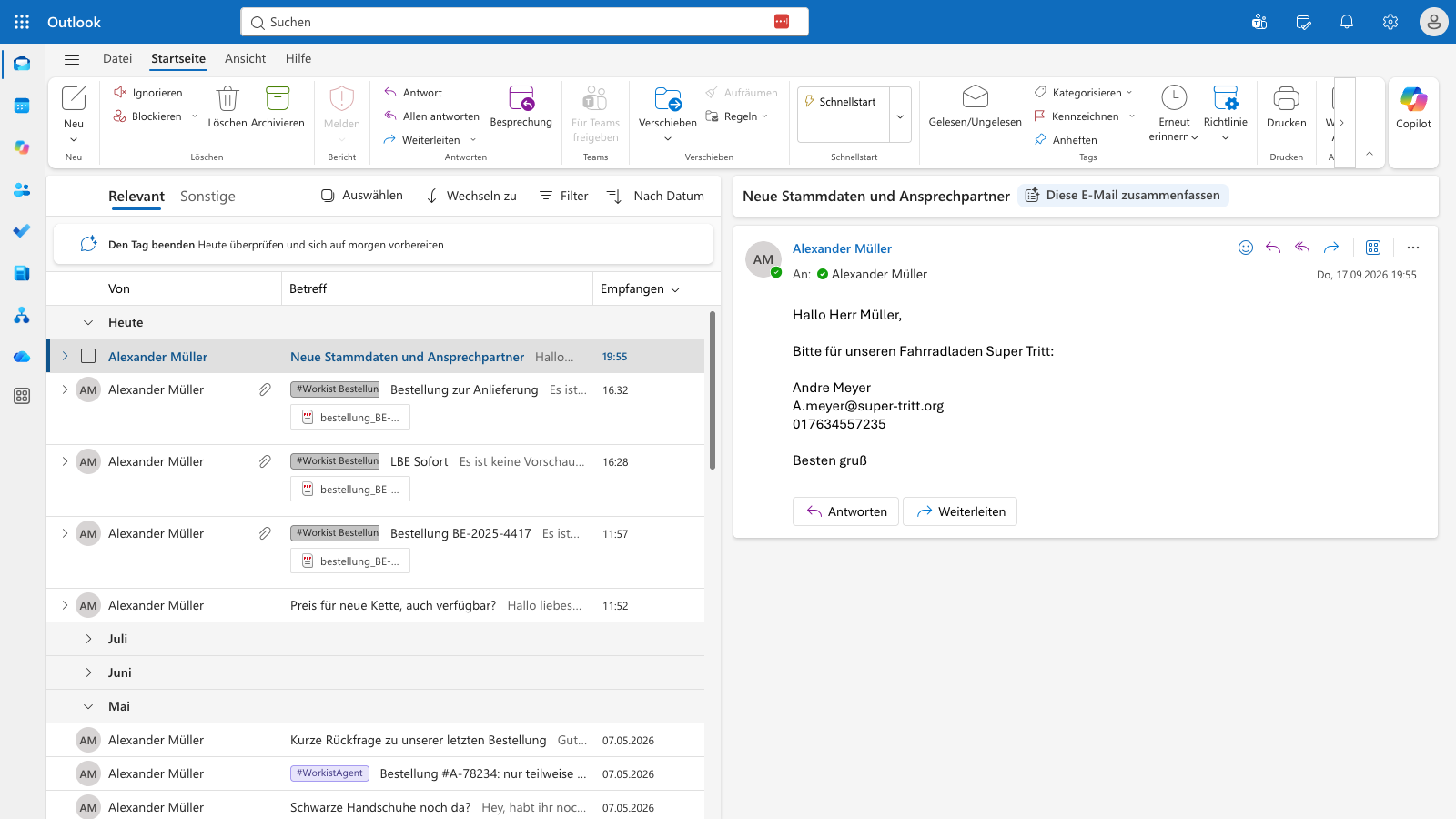
Email from a new customer with company and contact details in the inbox.
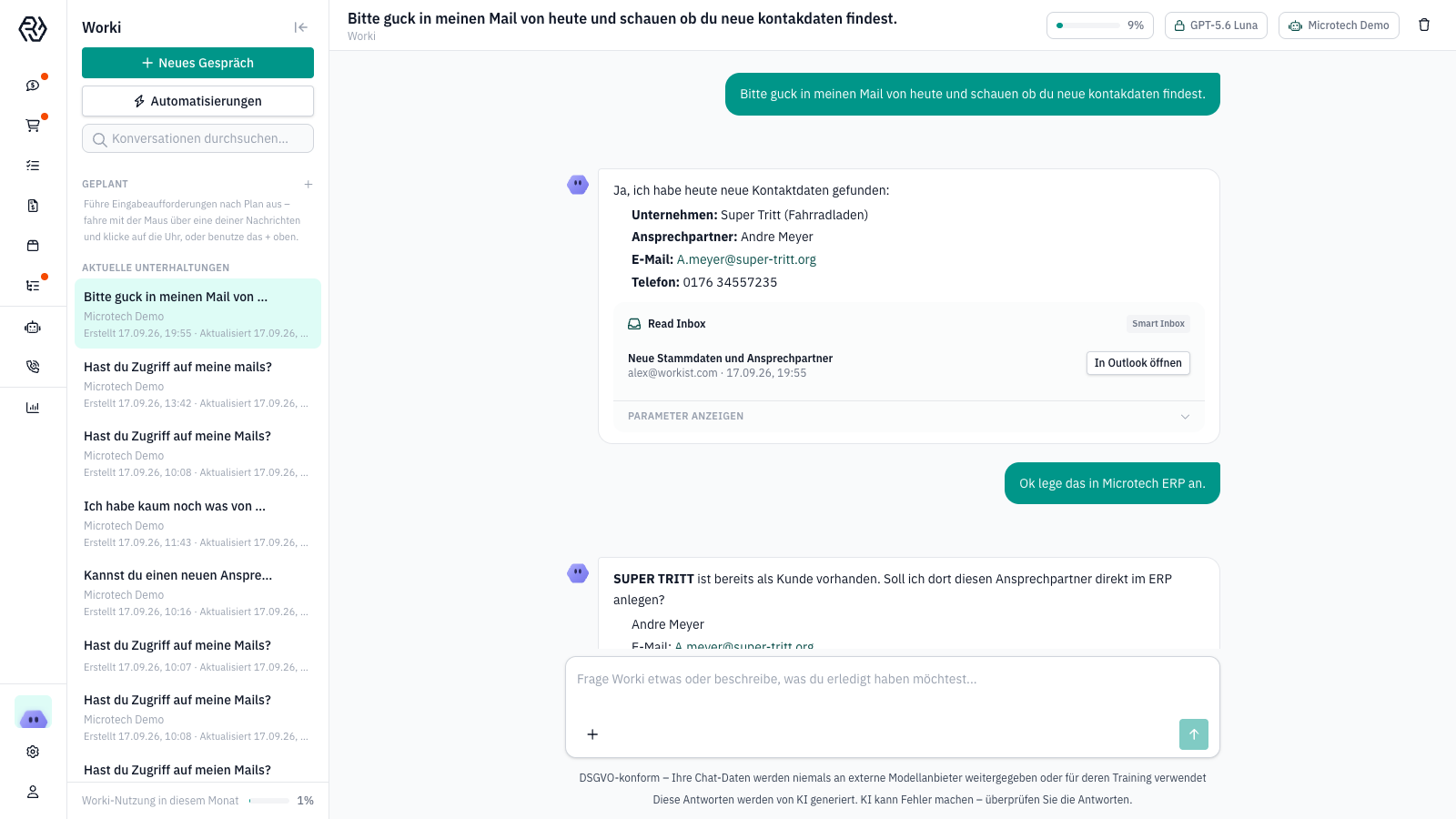
Worki extracts company, address, email and phone from the email.
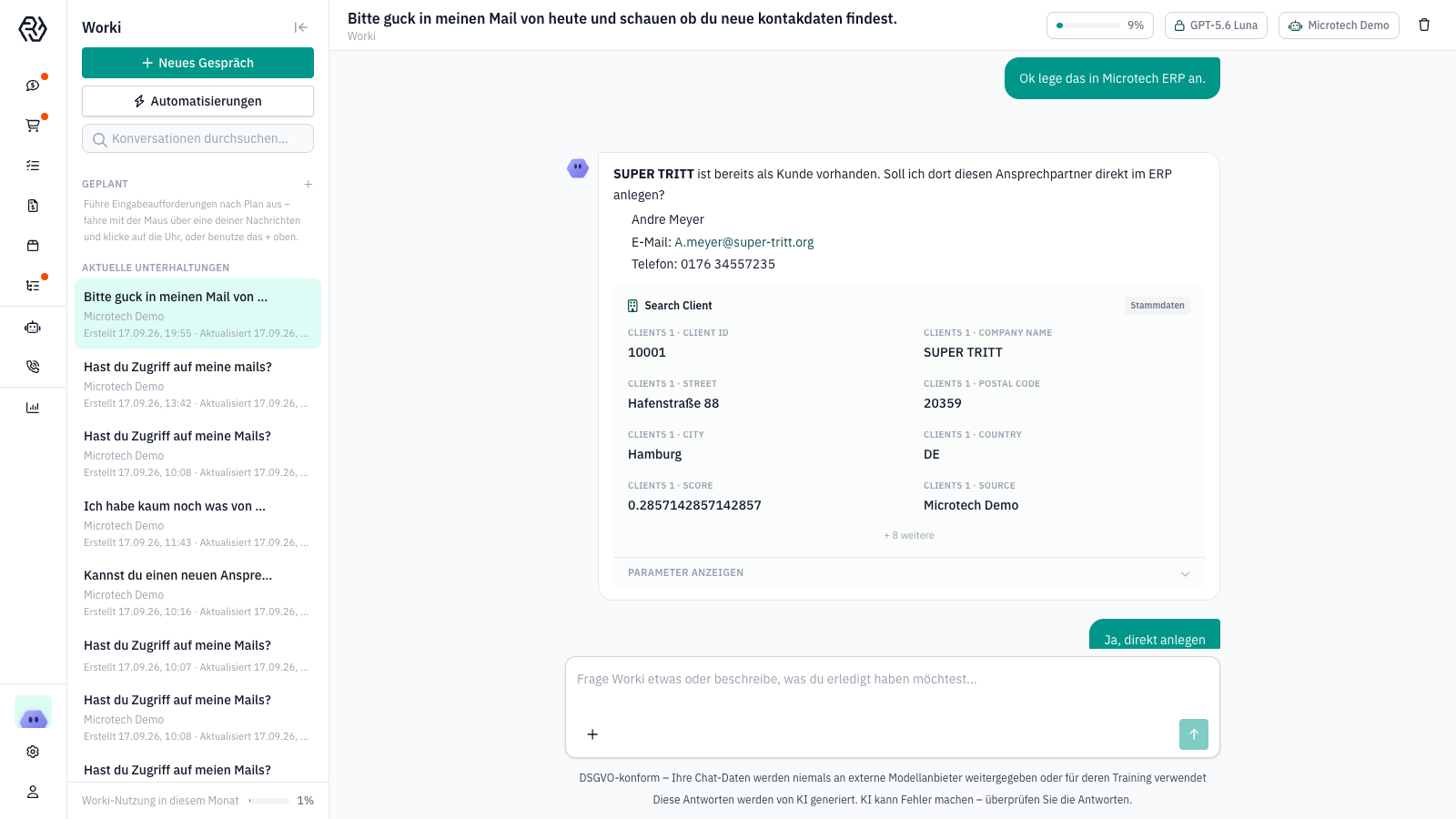
Check against Sage 100: the customer does not exist yet.
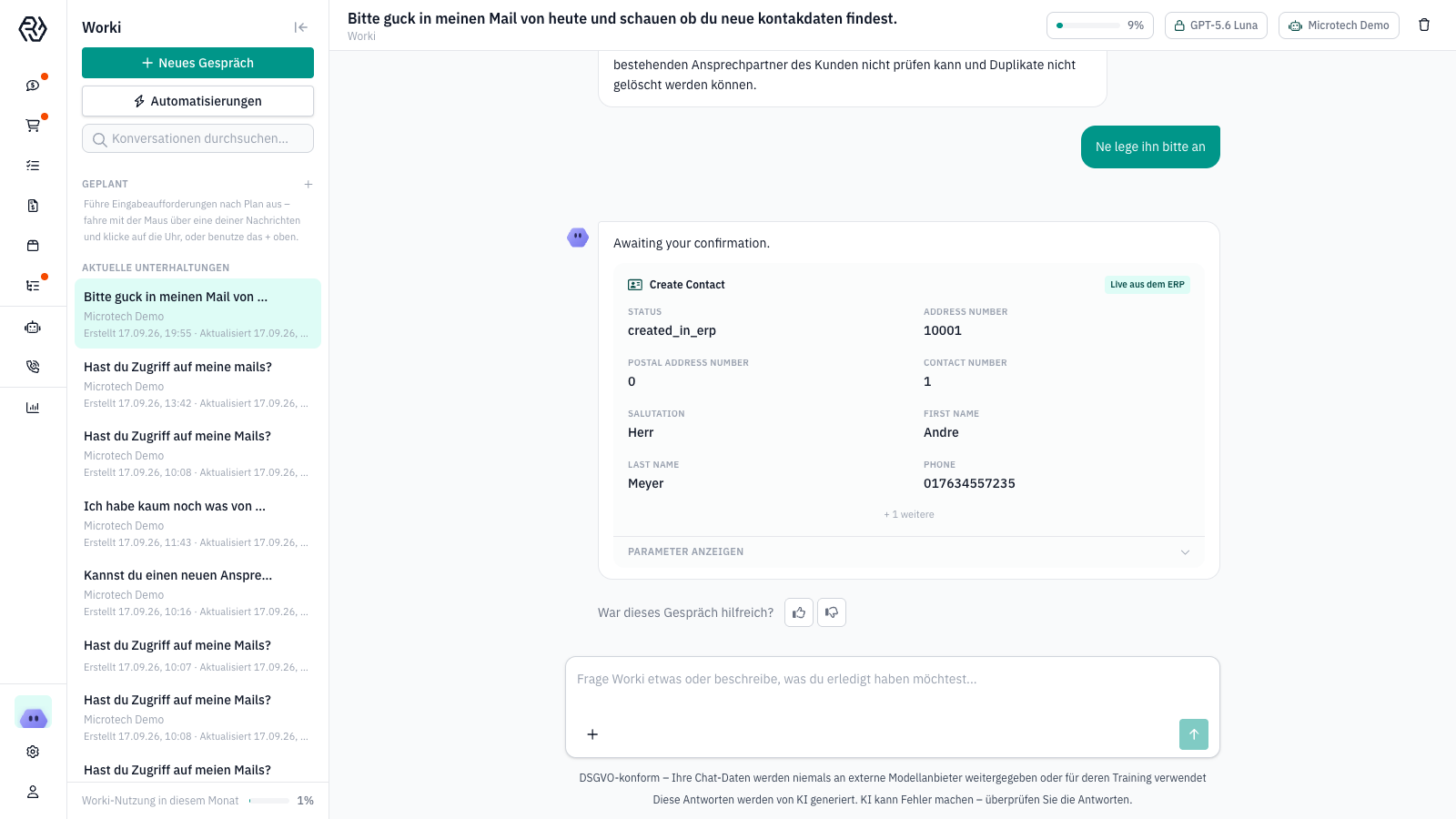
After your confirmation, Worki creates the customer in Sage 100.
A customer orders for the first time and sends company name, address and contact details. The email sits in the inbox.
You ask Worki to review the email. Worki extracts company, address, email and phone.
Worki checks the customer master: the customer does not exist yet. Worki suggests creating it.
One click, and Worki creates the customer in Sage 100. The first order can follow right away.
Workist connects to Sage 100 through a live interface built specifically for Workist. You need no middleware and no CSV export, and your screens stay as they are. Live in a few days.
You install the Workist Connector in your Sage 100 environment, version 9.0.8 or later, usually in about two hours. From then on, Workist reads customers, items, customer prices, stock per warehouse, quotes and orders live.
Emails, PDFs, calls and chat requests are read and matched against your data in Sage 100. Customer, item, customer price, quantity and date are settled before anything is created.
Clear cases go through. When questions remain, the agent turns to your team. You define what is created automatically and where an approval is required.
Sales order, quote, new customer or updated purchase order land directly in Sage 100. Document and email are archived audit-proof, every action shows in the dashboard.

Processing order confirmations by hand eats up purchasing time. Not with Workist. Learn how order confirmations are processed automatically.

With Workist you process invoices reliably and in record time. That frees your purchasing team from administrative work and keeps efficiency high.
An order arrives by email. Workist processes it, you can make corrections, and once it is complete it lands in Sage 100 ERP automatically.