No items found.
Workist as a turian alternative for automated order entry

Bitte füllen Sie alle Felder mit einer geschäftlichen E-Mail-Adresse aus.

Sie sprechen mit unserem Vertriebsteam.

Lieber per E-Mail? hello@workist.com

Wählen Sie einen Termin

200+ industry leaders trust Workist

A suite for finance or a tool for the sales back office?

Workist specializes in order entry for the sales back office of manufacturers and wholesalers. Esker (Esker SA, Lyon) uses a suite to automate processes around finance, from purchasing to incoming payments. These are the advantages of Workist:
Built for the sales back office

Workist is built for orders, inquiries and lists of services from manufacturers and wholesalers, from the inbox to the ERP.

Phone orders too

The Phone Agent answers calls from customers and field sales and transfers the order to the ERP. Esker lists email, EDI, portals, punchout and mobile channels; phone is not among them.

Live in 30 days on average

Workist is live after 30 days on average. Esker does not state a time to go-live on its order management page.

When Esker fits

Esker is a natural choice if you want to handle orders, receivables, payables and payments group-wide on one platform.

Workist vs. Esker at a glance

Both solutions extract orders with AI, match products, prices, quantities and delivery data against the ERP and pass deviations on to a person. Workist is tailored to the sales back office of manufacturers and wholesalers and also takes phone orders. With a suite, Esker covers the entire finance function, from purchasing to incoming payments.

Workist vs. Esker: all criteria in detail (as of November 2026, Esker information according to esker.com, retrieved on November 11, 2026)
Criterion workist Esker
FocusSales back office of manufacturers and wholesalers in DACH and the USSuite for the Office of the CFO: source-to-pay and order-to-cash, with order management as one module
Input channelsEmail, PDF, fax, Excel, phone (Voice Agent)Email, EDI, portals, punchout, e-commerce and mobile channels
ApproachAI agent from inbox to ERP, human-in-the-loopAI agents for customer service teams, exceptions go to the responsible person, qualified orders run touchless
ValidationMatching against ERP master data (customers, items, terms) in all plansAI extraction at header and line-item level, followed by matching against ERP data on products, prices, quantities and delivery details
ERP systems40+ integrations, incl. SAP, Microsoft Dynamics, Oracle NetSuite and Sage. Further ERP systems via the Workist REST API.Multi-ERP integration, certified SAP connector with clean core compliance
Implementation30 days on averageNo public information on time to go-live
Hosting and complianceEU (Frankfurt), SOC 2 Type II, GDPR-compliant, DPACloud platform, Esker SA headquartered in Lyon, German subsidiary in Feldkirchen. Proprietary language model; according to Esker, data is not shared with third parties.
PricingOn request · Core, Professional and Enterprise plans, tiered by document volume, users and teamsOn request · no public pricing

What do Workist and Esker have in common?

Workist reads orders with AI, matches items, prices, quantities and terms against your master data and passes unclear cases to your team. Esker offers this too, both connect to SAP and both run in the cloud. The difference lies in the focus: Workist is built for the sales back office of manufacturers and wholesalers, Esker for the finance function of large organizations.

What the sales back office uses Workist for

A suite project ties up IT, finance and purchasing. Workist starts at one point, order intake in the sales back office, and is productive there after around 30 days.
Sales back office

You are looking for a solution for incoming orders

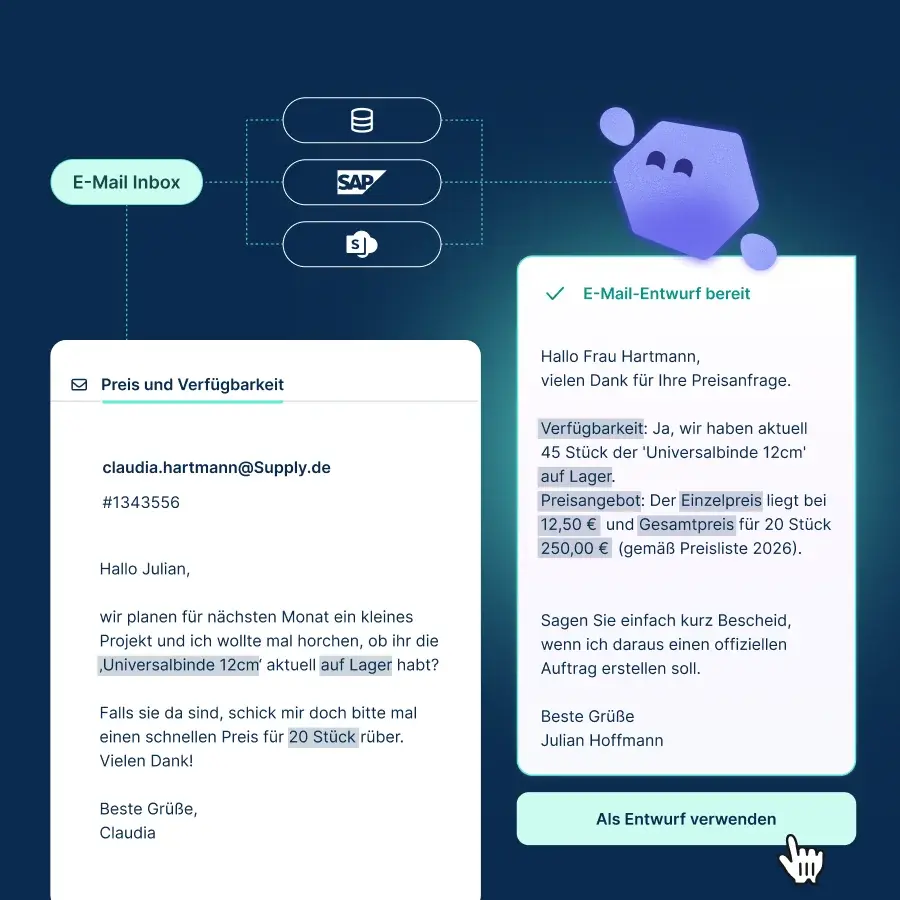
Workist is tailored to the sales back office: orders, inquiries and lists of services. The Inbox Agent reads incoming emails, recognizes the request and prepares draft replies.

Workist recognizes incoming order and price inquiries and creates a draft reply.
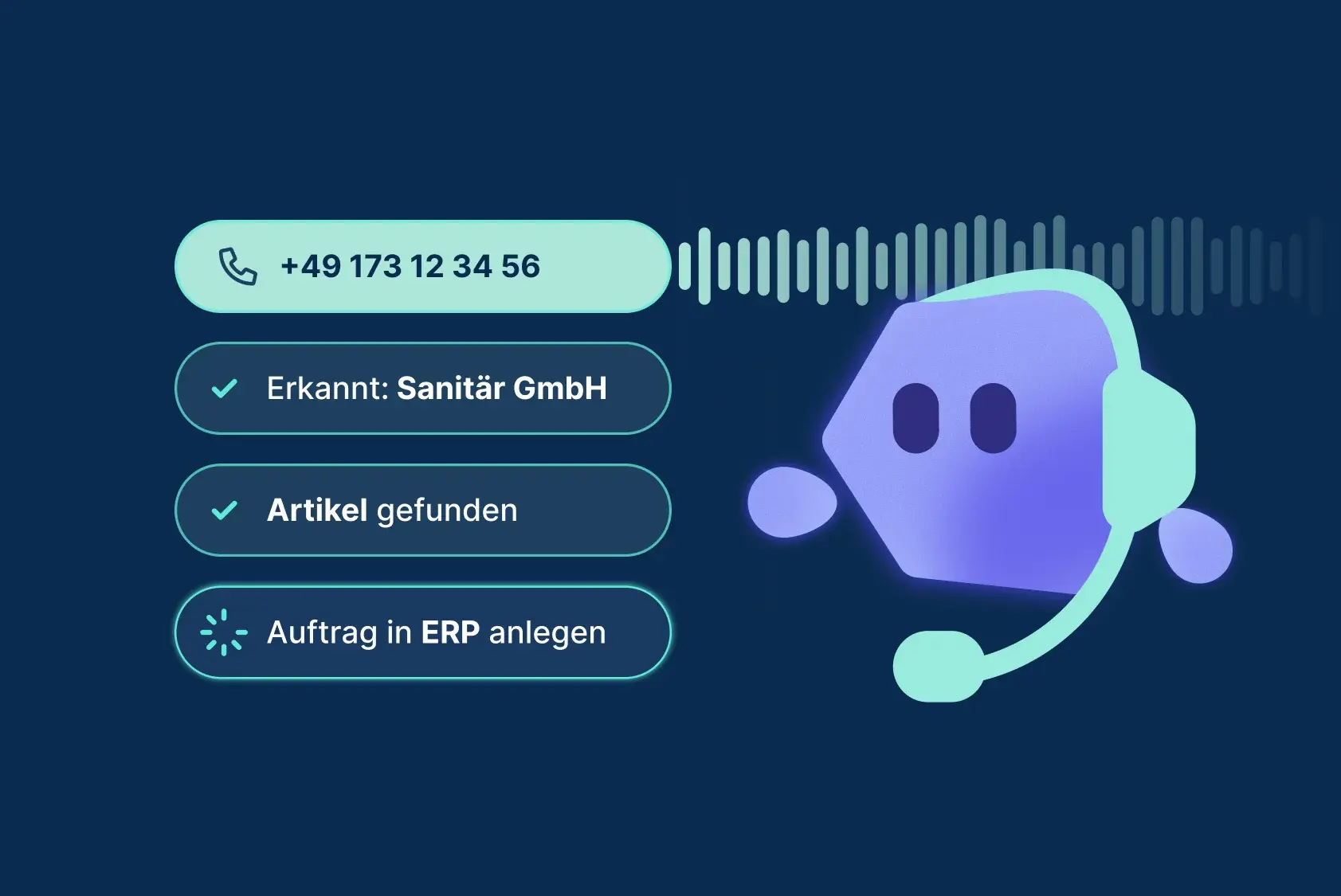
The Workist Voice Agent recognizes phone orders and creates the order in the ERP system.
Phone

Orders also come in by phone

The Phone Agent takes phone orders from customers and field sales, even outside business hours. The order then lands in the ERP.

ERP integration

Your ERP stays as it is

Workist connects to more than 40 ERP systems and writes the order exactly where your team expects it. Nothing changes in the target system.

Workist connects order entry with ERP systems such as SAP, Microsoft Dynamics, Infor and Sage.
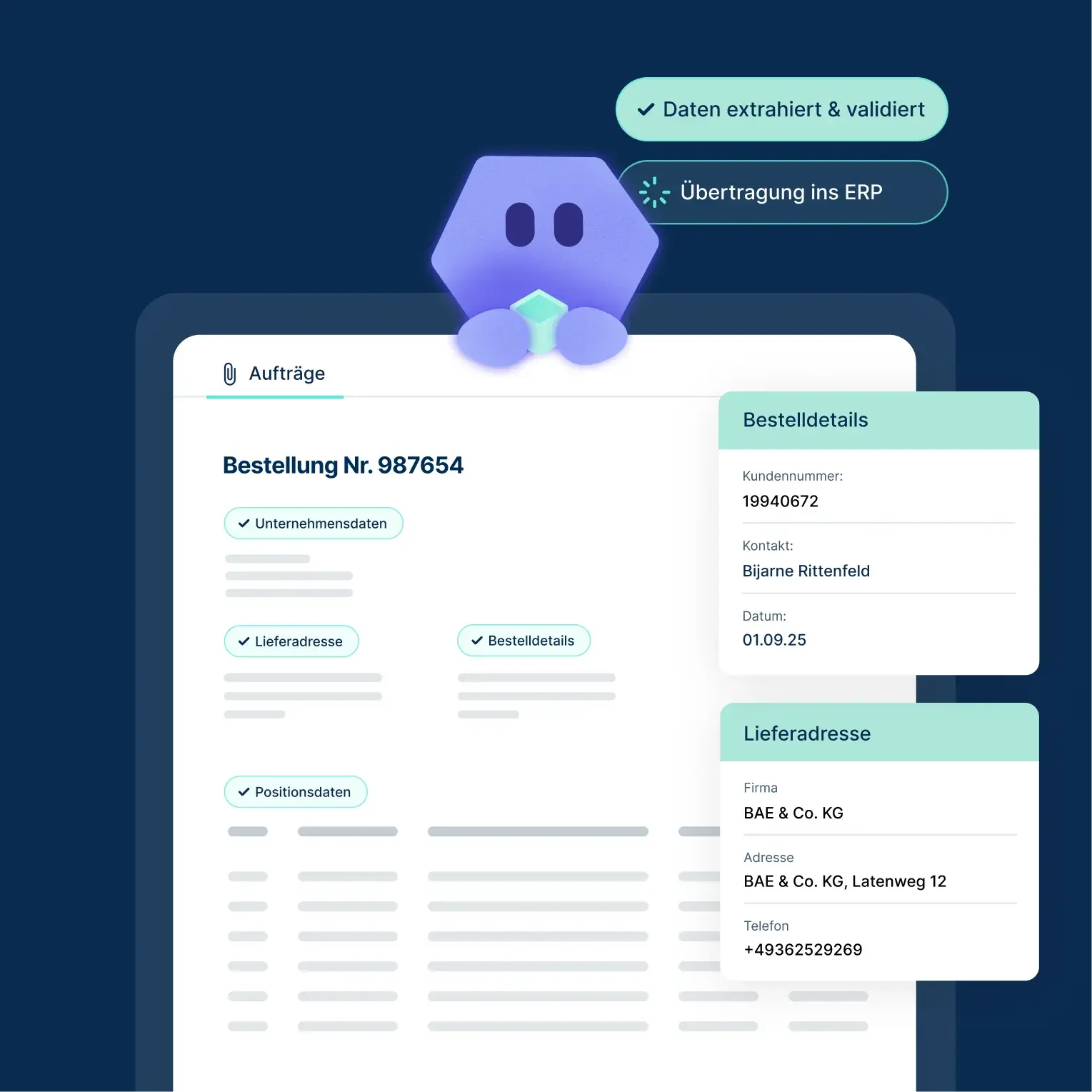
Workist extracts and validates order data and transfers checked orders to the ERP system.
Go-live

You want to go live quickly

Workist is live after 30 days on average, often faster with the standard ERP connectors. Unclear cases go to your team for approval, and only checked orders are posted.

What sets Workist apart from Esker?

Workist differs from Esker in its focus: it is built for the sales back office of mid-sized manufacturers and wholesalers. On top of that come the Phone Agent for phone orders and a go-live after 30 days on average.
Ø 30 days
to go-live
96%
less time per order
15M+
processed transactions

Workist captures the orders that run alongside EDI

Some of your customers keep ordering by PDF. This flow shows in five steps how Workist turns that into an order in your ERP.

1

1. The order lands in the inbox

This customer will never be connected via EDI. Their order arrives as a PDF. Workist recognizes it in the inbox.

2

2. The document is extracted

Workist reads customer, line items, quantities and delivery date from the document without you specifying a format.

3

3. Matching against your ERP

Workist checks every line item against the customer, item and terms master. Deviations are caught before posting.

4

4. The sales back office approves

The order waits for approval in the sales back office, not in an exception queue of another department.

5

5. Workist also posts the customer without EDI

Workist creates the sales order with line items, prices and delivery date. The customer keeps ordering the way they are used to.

What sales back offices measure after the switch

Three companies that automated order intake without rebuilding their system landscape.
←
→

What switching from a suite means

You replace nothing that runs in finance. Workist takes over order intake and works alongside what you already have.

▦

Define the scope

You decide which channels go to Workist and which stay in your existing processes.

⚙

Setup

Workist reads the customer and item master from your ERP. We set up fields and rules for your order process.

△

Trial run in the back office

For one week, your team reviews Workist's suggestions before the first order is posted automatically.

✦

Go-live

Workist takes over order intake. Your finance processes remain untouched.

Frequently asked questions about Workist and Esker

What sales back-office leads ask before comparing with Esker.

What are the alternatives to Esker?⌃

For order entry in the sales back office, Workist is a specialized alternative to Esker. Workist takes orders from manufacturers and wholesalers from email, PDF, fax and phone from the inbox into the ERP and is live after 30 days on average. More comparisons: Workist vs. Conexiom, Workist vs. Rossum, Workist vs. Parashift and Workist vs. Mercura.

What is the difference between Workist and Esker?⌃

Workist specializes in the sales back office of manufacturers and wholesalers and brings orders from email, PDF, fax and phone into the ERP with human-in-the-loop. Esker is a suite for the Office of the CFO, in which order management is one module alongside purchasing, receivables, payables and payments.

Who is Workist the better choice for compared to Esker?⌄

For mid-sized manufacturers and wholesalers whose sales back office handles orders, inquiries and lists of services and wants to go live quickly. Workist also takes phone orders and connects to more than 40 ERP systems.

How much does Workist cost compared to Esker?⌄

Workist offers three plans: Core (orders, 10,000 documents per year, 3 users, 1 team), Professional (inquiries and orders, 20,000 documents per year, 5 users, 3 teams) and Enterprise (individually configurable), each with a minimum term of 12 months. Quotes are available on request, and you can find all details on the Workist pricing page. Esker does not publish list prices.

How fast is Workist live?⌄

Workist is usually live after about 30 days. With one of the standard ERP connectors, it is often faster.

Is Workist GDPR-compliant?⌄

Yes. Your data is stored in the EU, in Frankfurt. Workist is SOC 2 Type II certified, works in compliance with GDPR and provides a data processing agreement.

Test Workist on one day of order intake

Take one day's orders. We show you how many of them land in the ERP without any manual work.

Book a meeting