

200+ industry leaders trust Workist


Orders arrive by email or phone, questions by phone, changes by email, confirmations as PDF. Workist takes all of it, matches it to the right record in Microtech Büro+ and only hands your team what needs a decision.

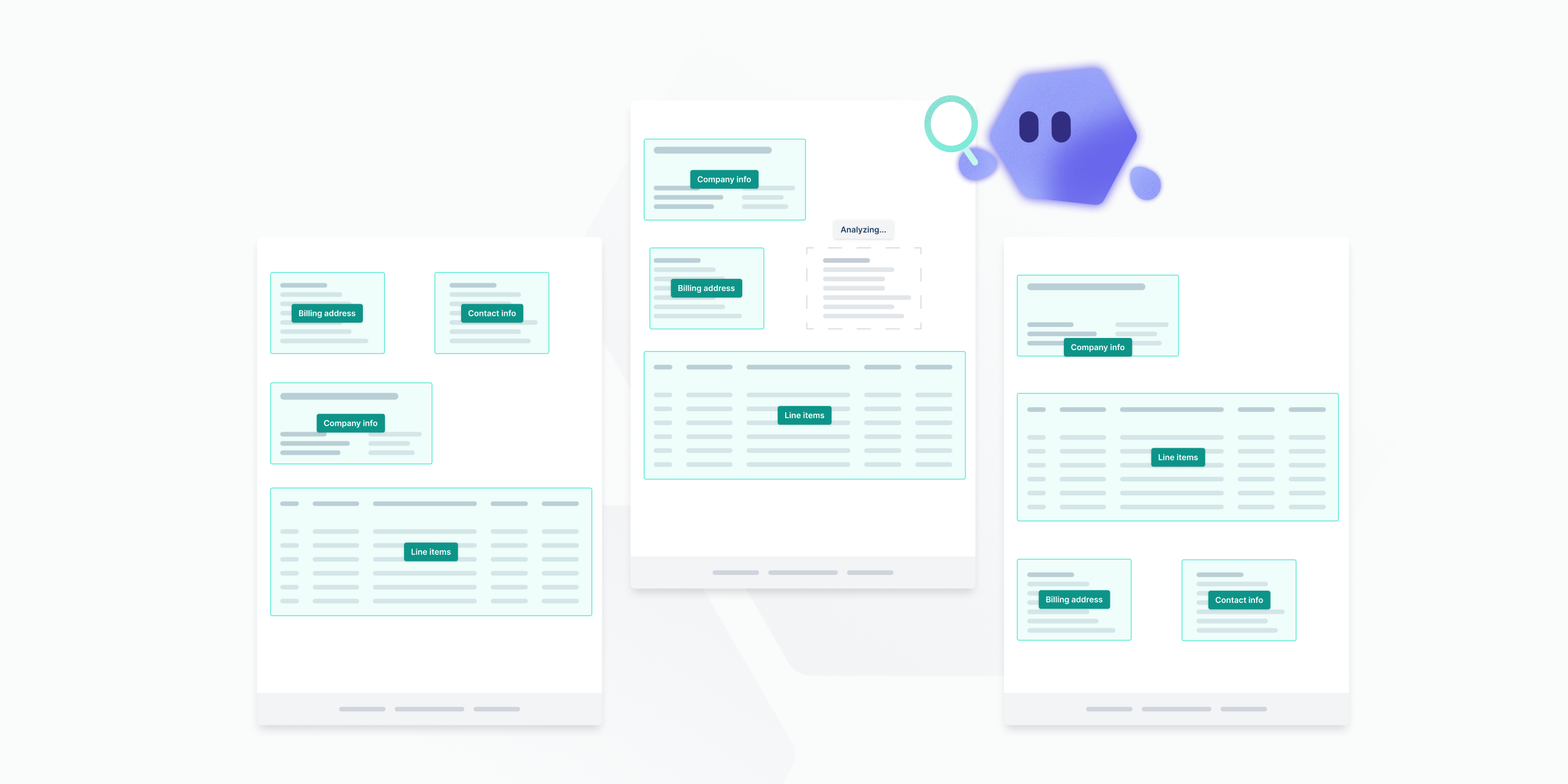
Orders, inquiries, order confirmations and invoices. The agent reads every layout, no templates to set up.
The Voice Agent answers calls, recognises the customer by phone number and replies with current prices and stock from Microtech Büro+.

Your team tells Worki what to do. Worki does it in Microtech Büro+ and reports back.

Follow up on quotes, convert records, check master data. Runs on a schedule in the background.

The Order Agent reads PDF orders from email, fax and scans, checks addresses, items and stock in Microtech Büro+ and creates the sales order as a record. Your team stops typing orders by hand.

The Voice Agent is available around the clock, recognises the customer and answers the questions that fill an inside sales day: price, lead time, availability. The data comes live from Microtech Büro+.
Once the customer has said yes, Worki converts the quote into an order and creates the record in Microtech Büro+. Done before your team sits down.
One sentence to Worki is enough: “Follow up by email with every customer whose quote is older than 14 days.” Worki finds the records in Microtech Büro+, writes the emails in your tone and sends them. On request, the Voice Agent calls.
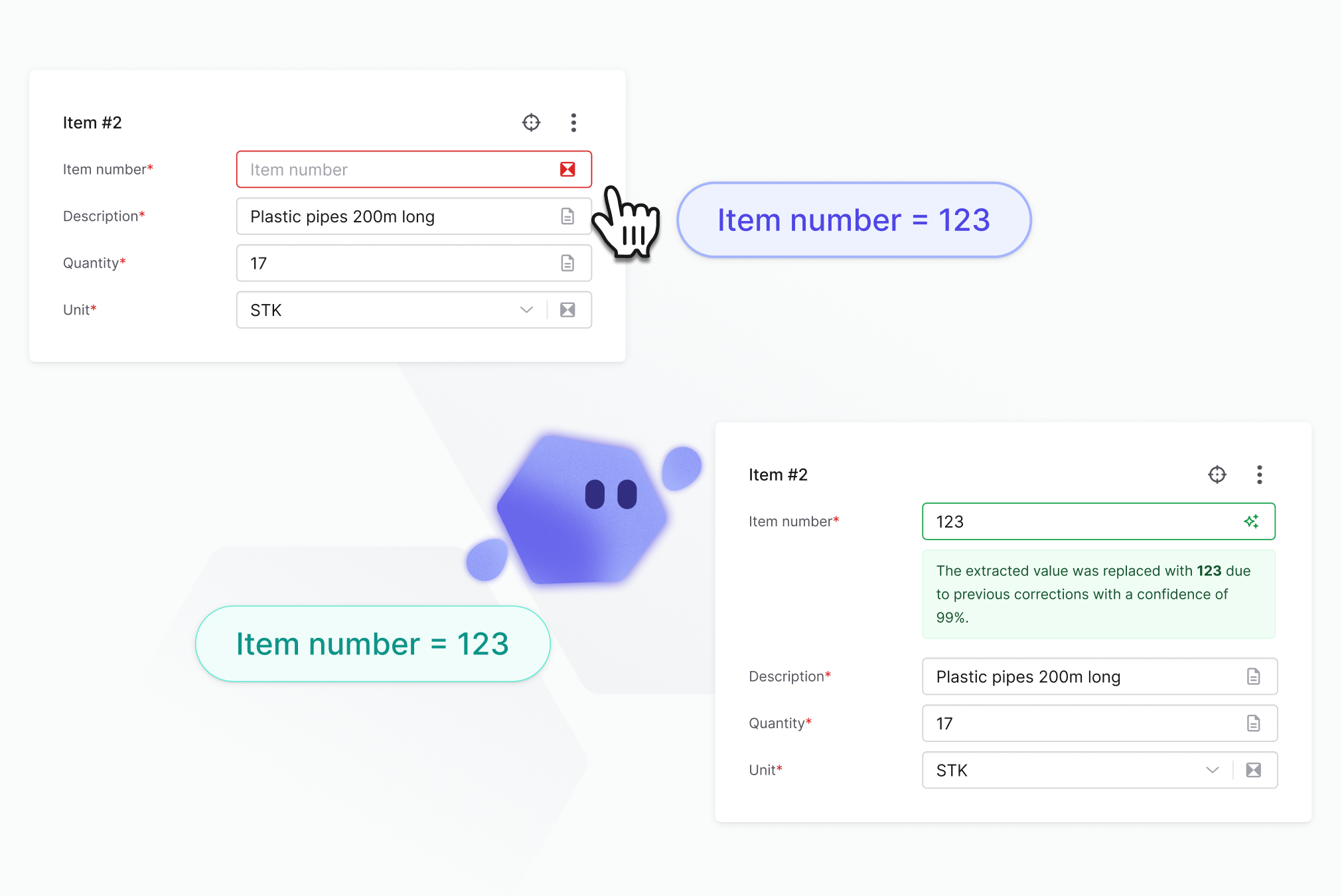
New contacts from emails, changed delivery addresses, missing item numbers: Worki creates them in Microtech Büro+ or brings them up to date. Your master data stays complete without anyone maintaining it.

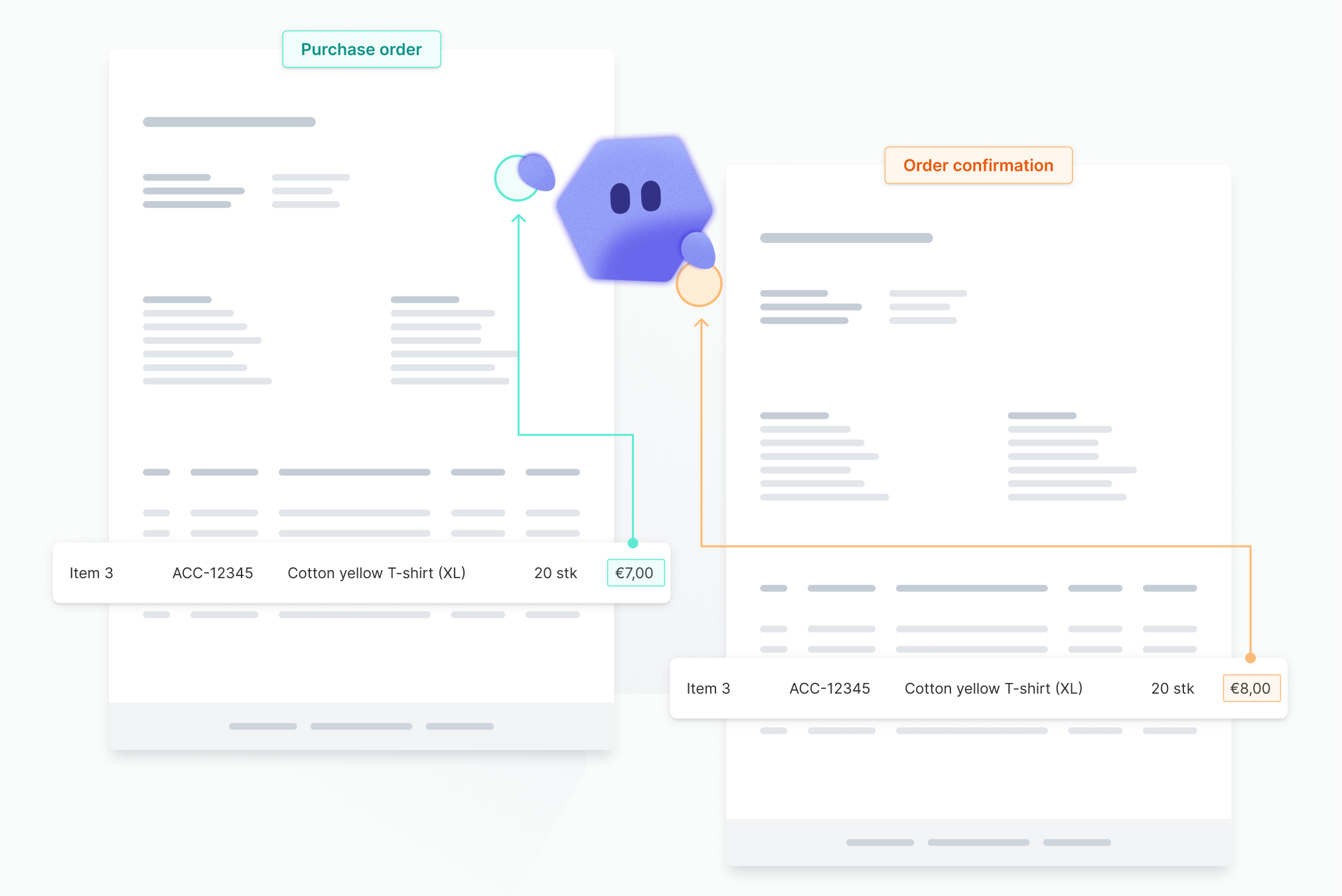
Workist reads your suppliers’ order confirmations, compares them with the purchase order in Microtech Büro+ and takes over prices, quantities and dates. Only deviations reach your purchasing team.
Generic AI tools don’t know your ERP. Classic automation knows one process only. Workist brings both together in one platform for Microtech Büro+.
Order Agent, Voice Agent and Inbox Agent are trained on their process, work with your Microtech Büro+ master data and have millions of documents behind them. They run in the background, speak up only when something is really unclear and deliver the same result every day.
Worki gets its tasks in chat. It knows your addresses, items and records in Microtech Büro+, writes emails, makes calls, converts quotes into orders, maintains master data and answers questions about your data. Whatever you explain once, it does on its own from then on.
How you give Worki a task:
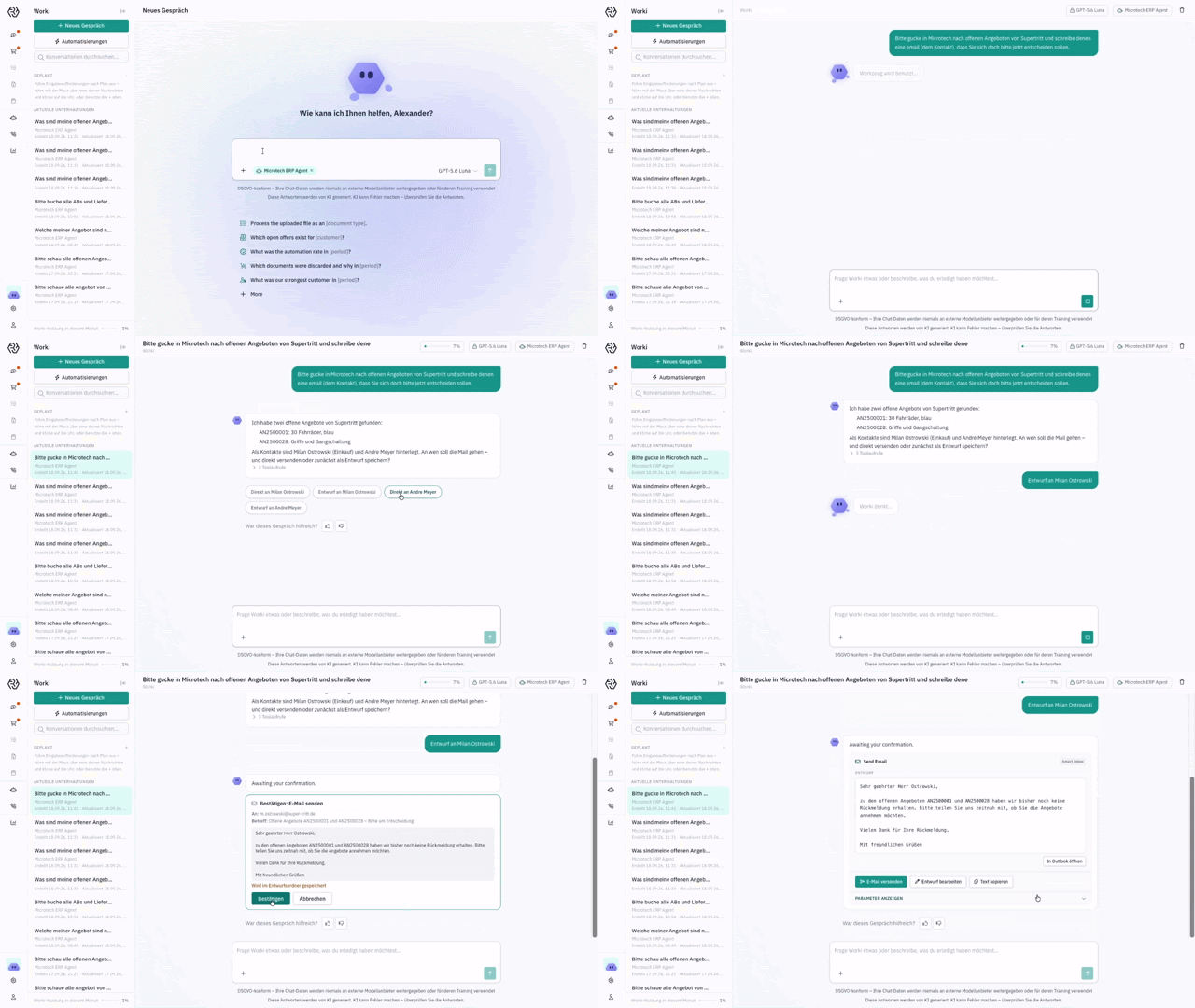
Pick a case and follow how Workist handles it from arrival to booking in Microtech Büro+.
Order by emailPhone call: price, availability, orderFollow up on open quotes Master data: new contact
From the incoming order to the sales order in Microtech Büro+
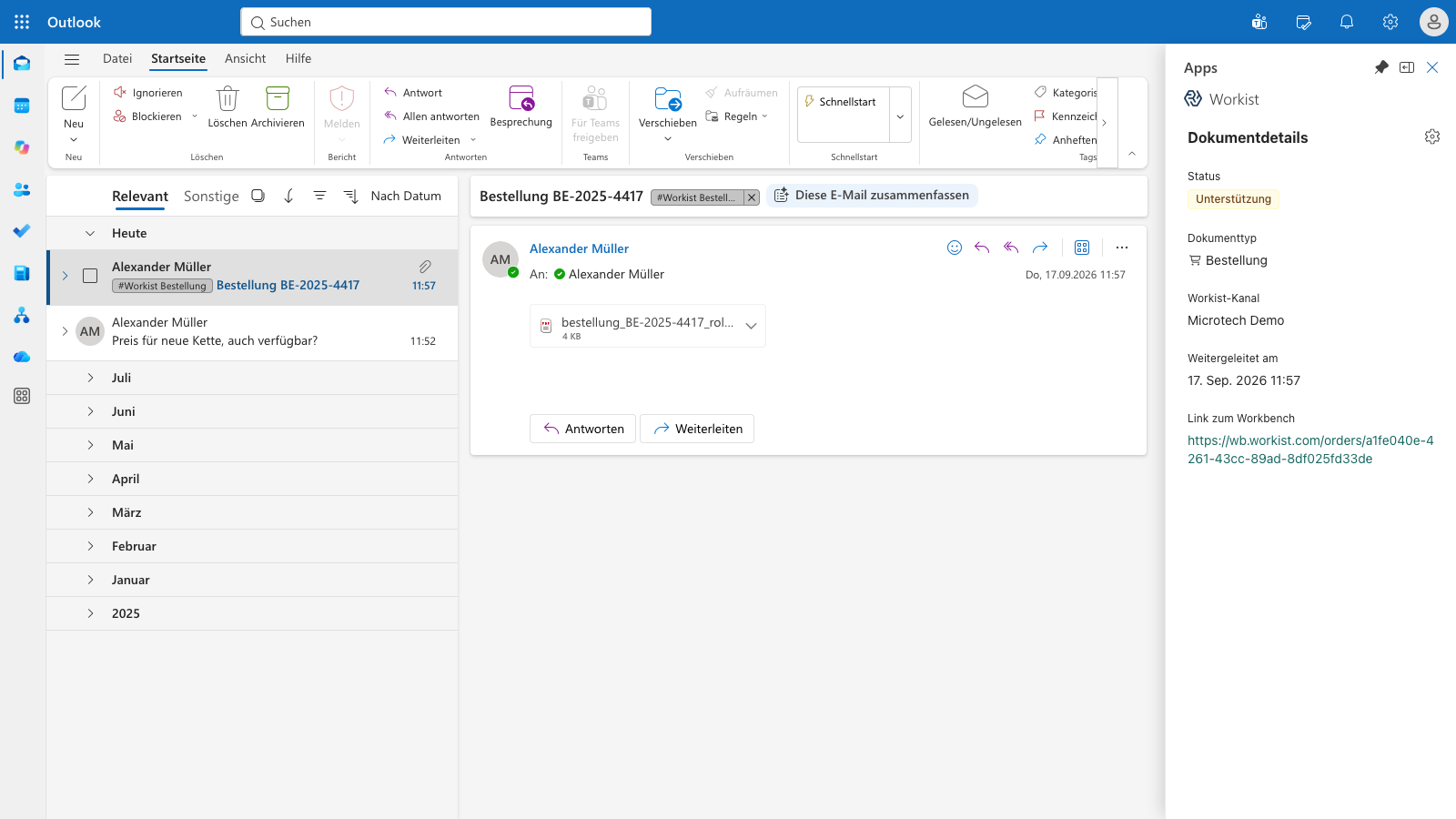
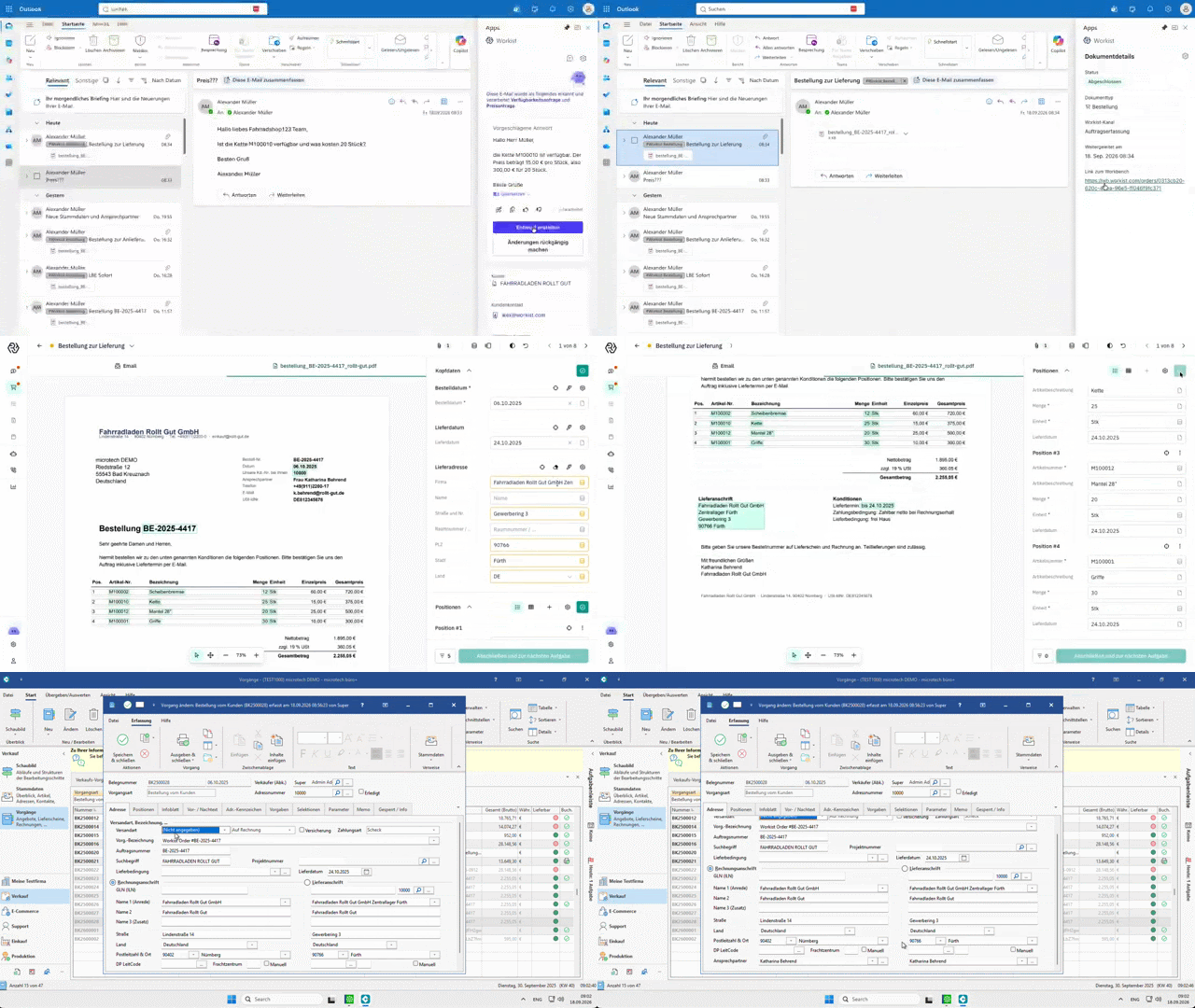
Order in the inbox. The Workist add-in shows document type and status right in Outlook.
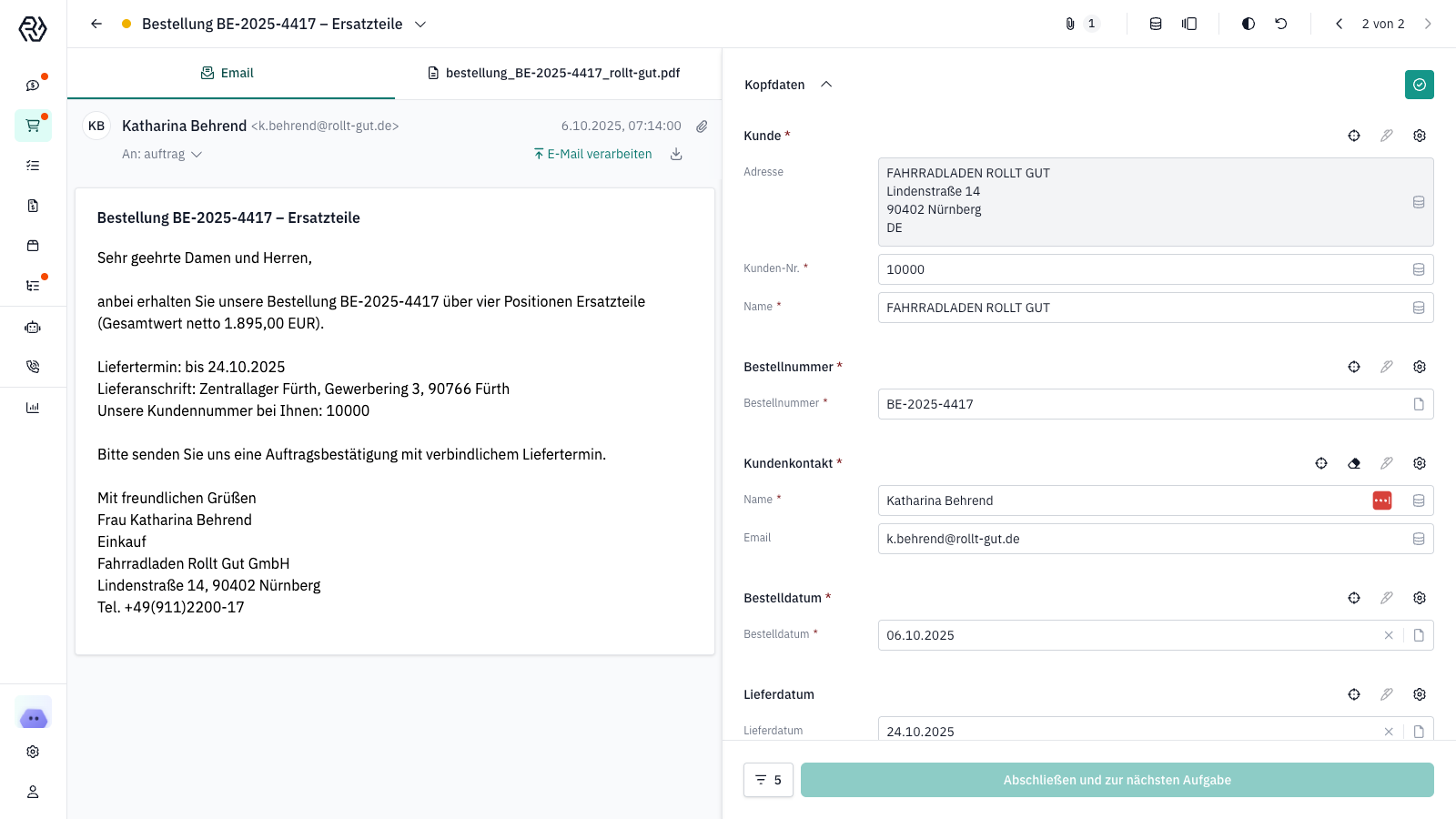
Workist extracts the header data and matches the customer from Microtech Büro+.
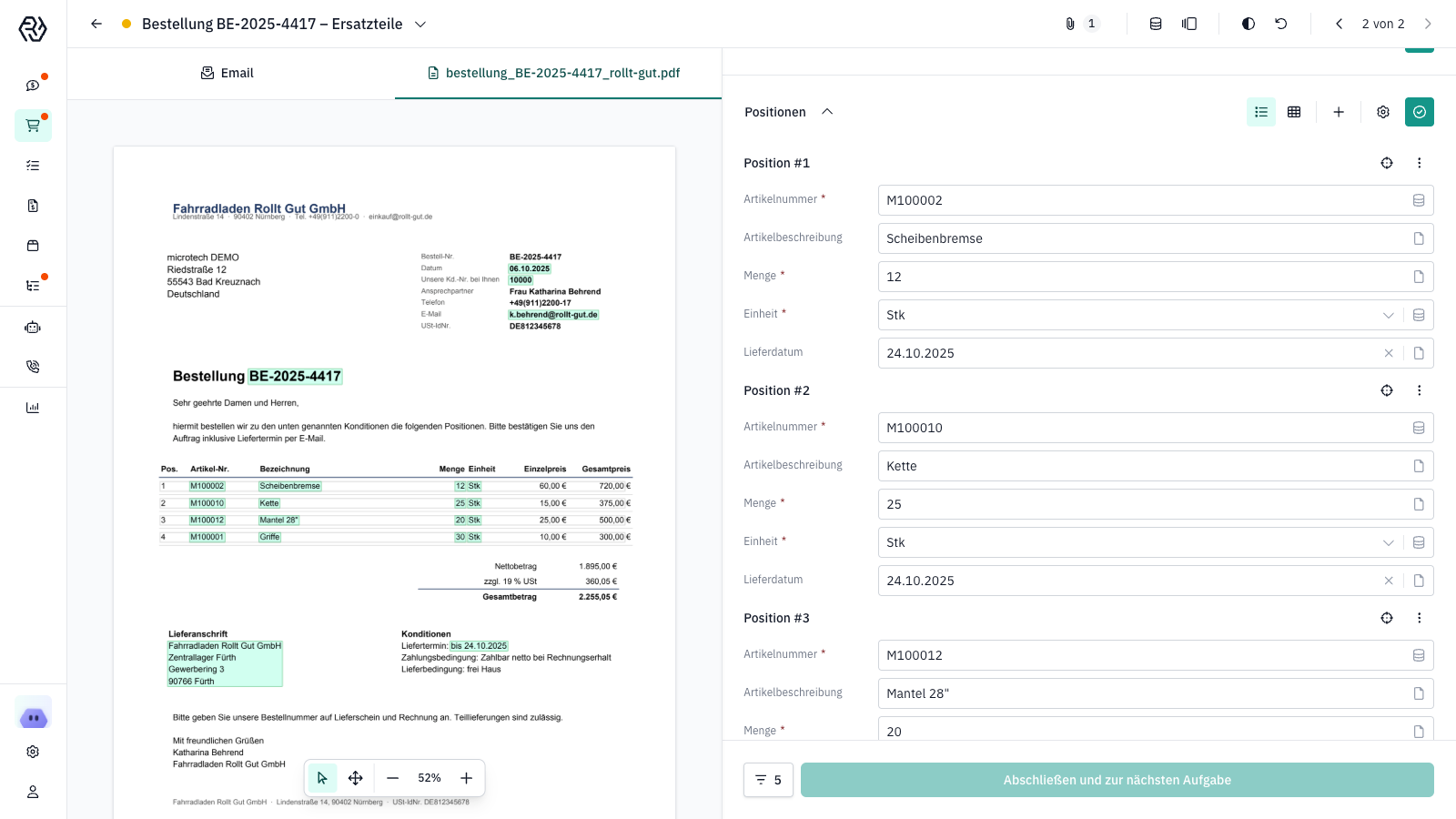
Line items are checked against item numbers, with the document alongside for comparison.
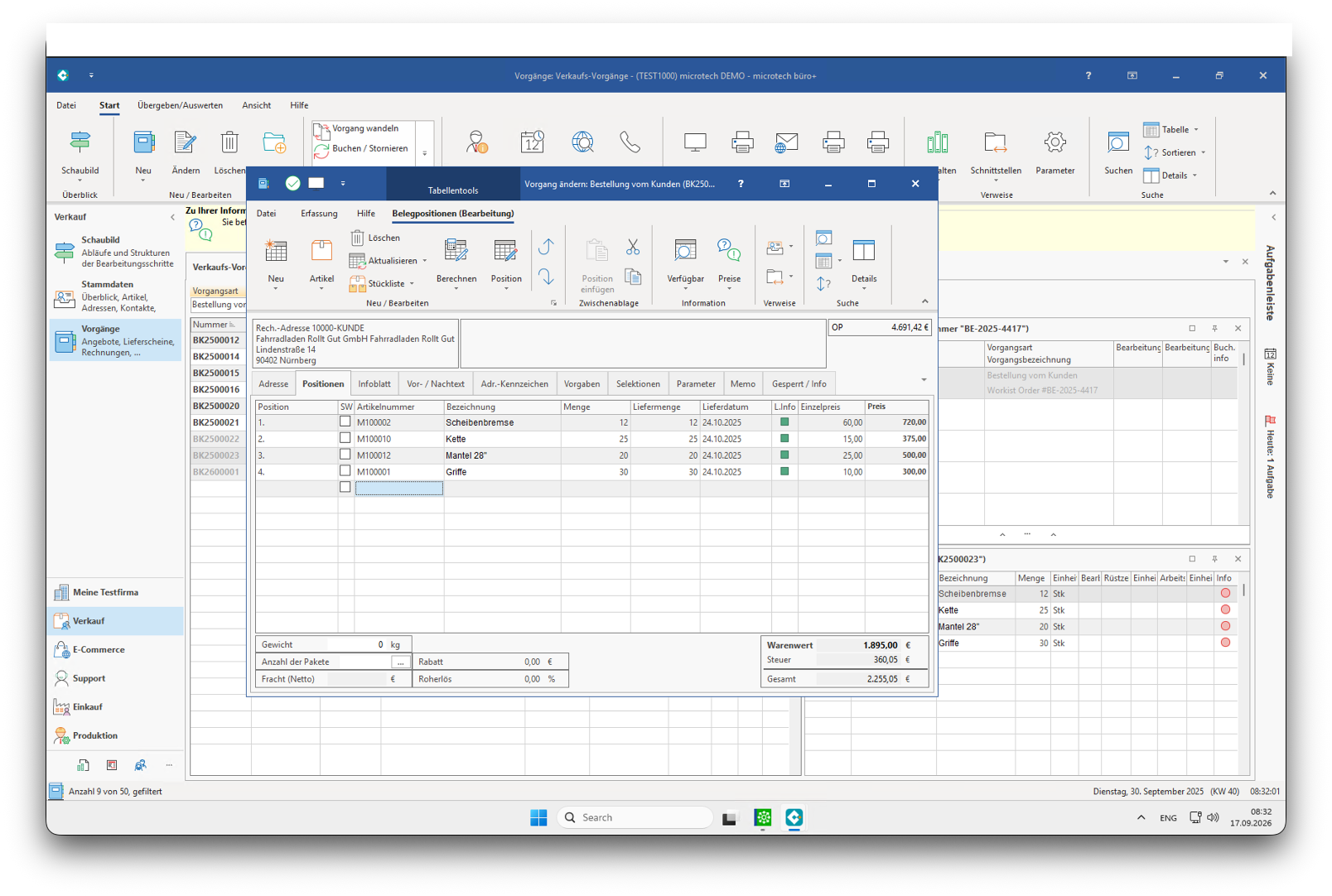
Sales order created in Microtech Büro+ with all line items.
The order lands as a PDF in your sales inbox. Workist picks it up automatically.
Header and line item data are extracted and checked against addresses, items and stock.
Clear documents go through. When something is unclear, the agent asks your team.
The sales order is created via the GraphQL API, PDF and email are archived on the record.
From the call to the answer and the created sales order
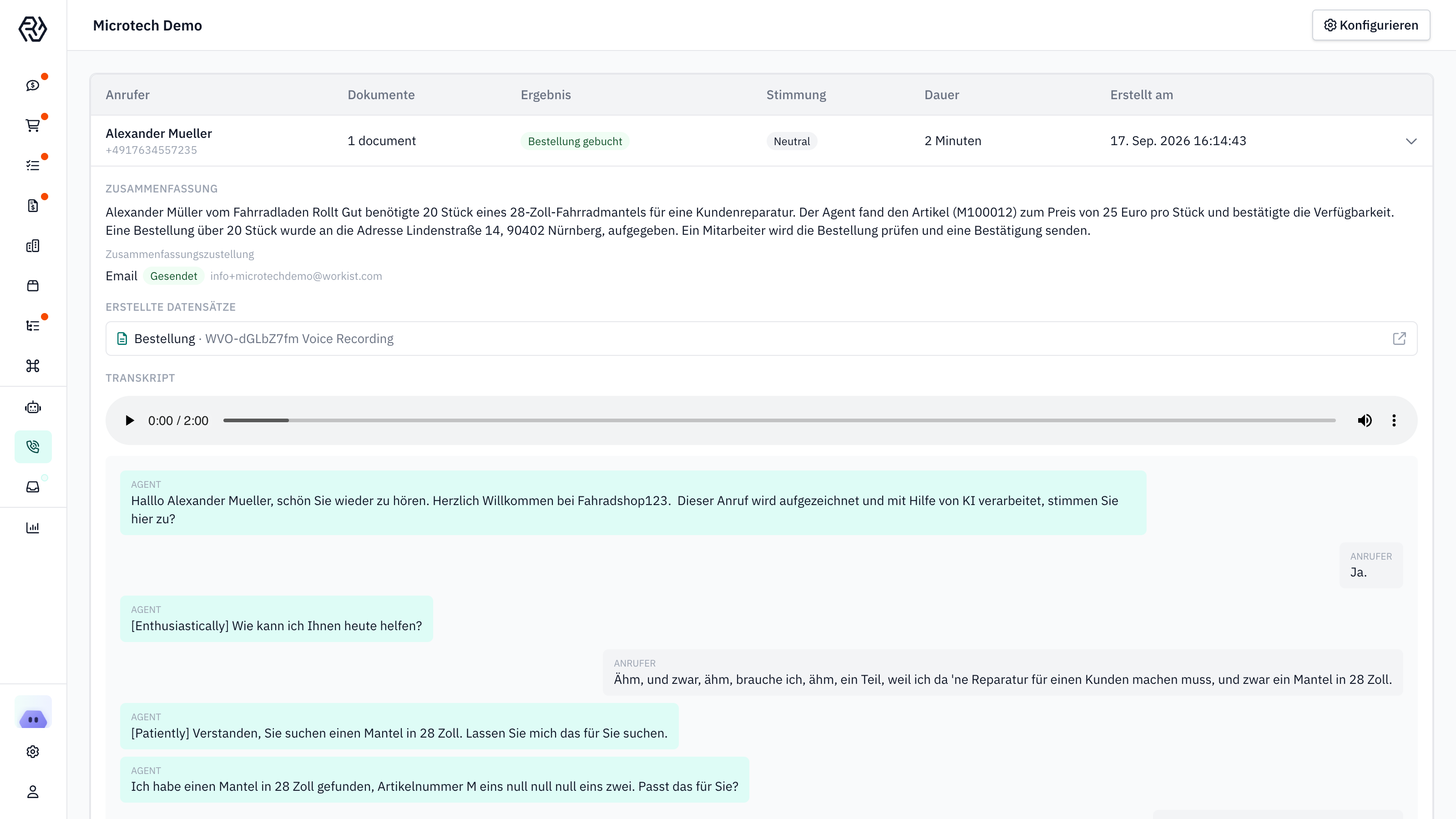
The Voice Agent answers the call, the customer is recognised by phone number.
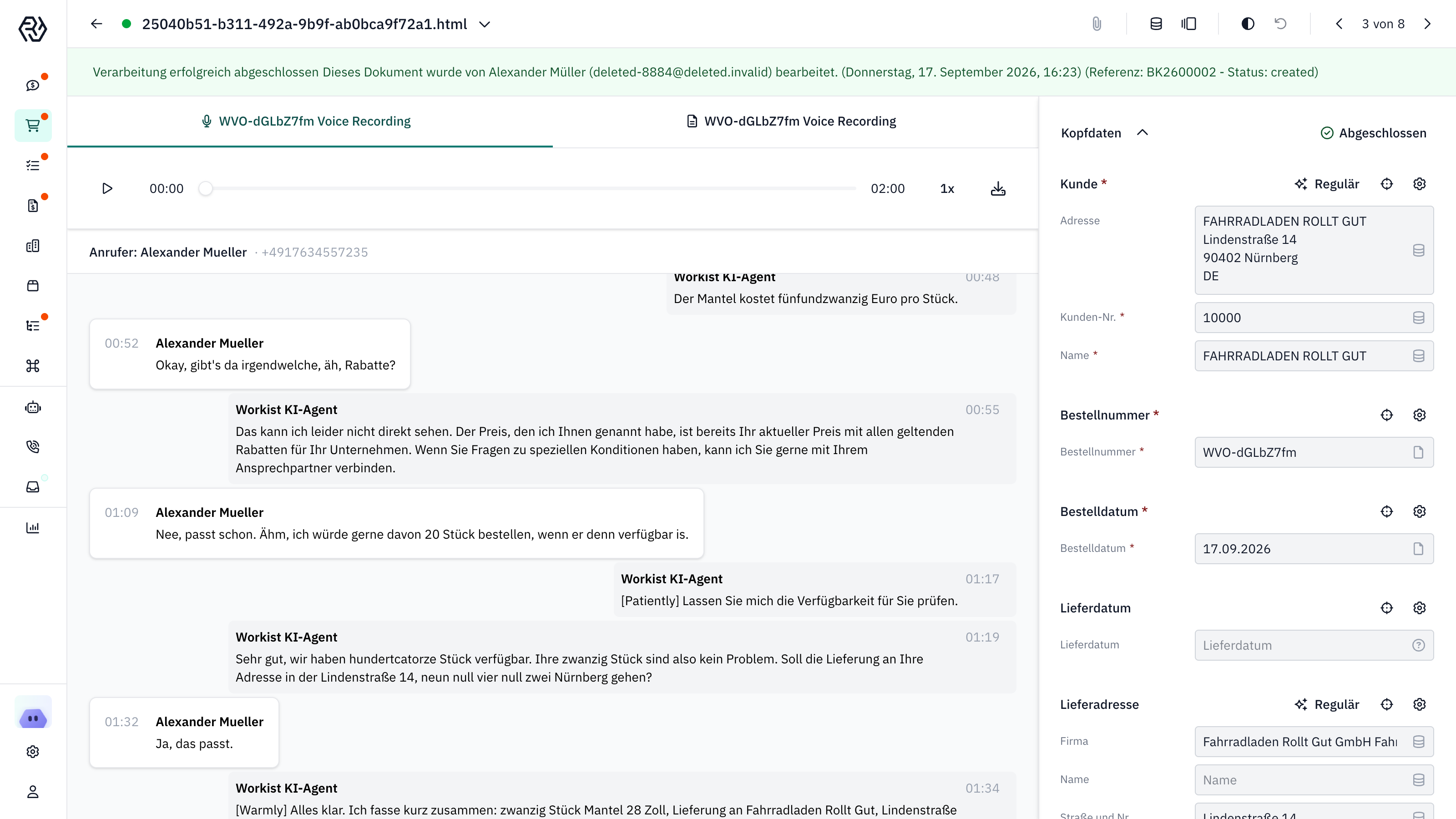
Price and stock come from Microtech Büro+ during the conversation.
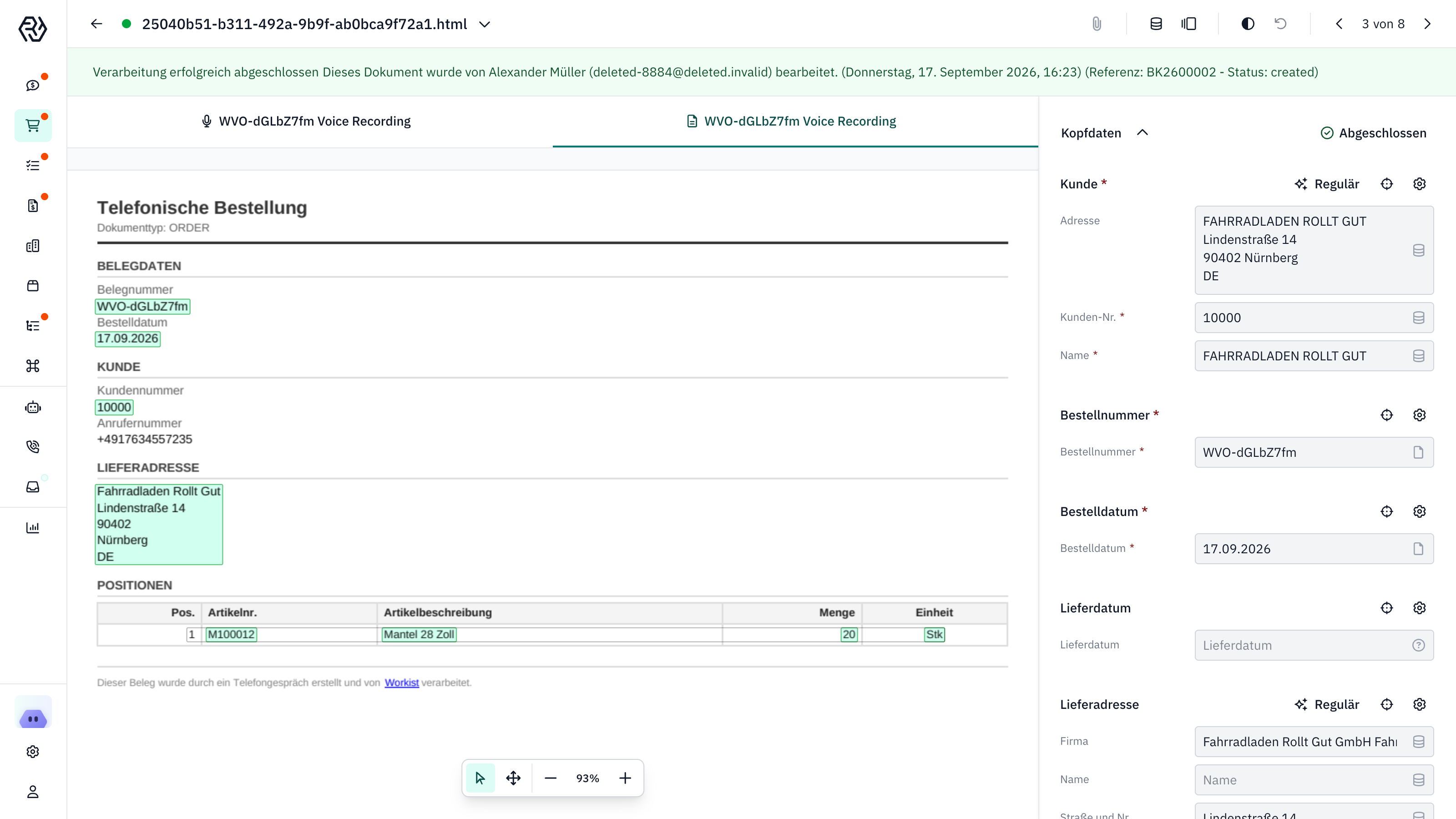
The conversation becomes a phone order with header data and line items.
Order booked: summary, recording and transcript are stored on the record.
The Voice Agent picks up and recognises the customer by phone number.
Price, customer-specific terms and stock come live from Microtech Büro+.
Item, quantity and delivery address are confirmed in the conversation. The result is a phone order with header data and line items.
The sales order is created in Microtech Büro+. Summary, recording and transcript are stored on the record in Workist.
From the open quote to the finished follow-up email in Outlook
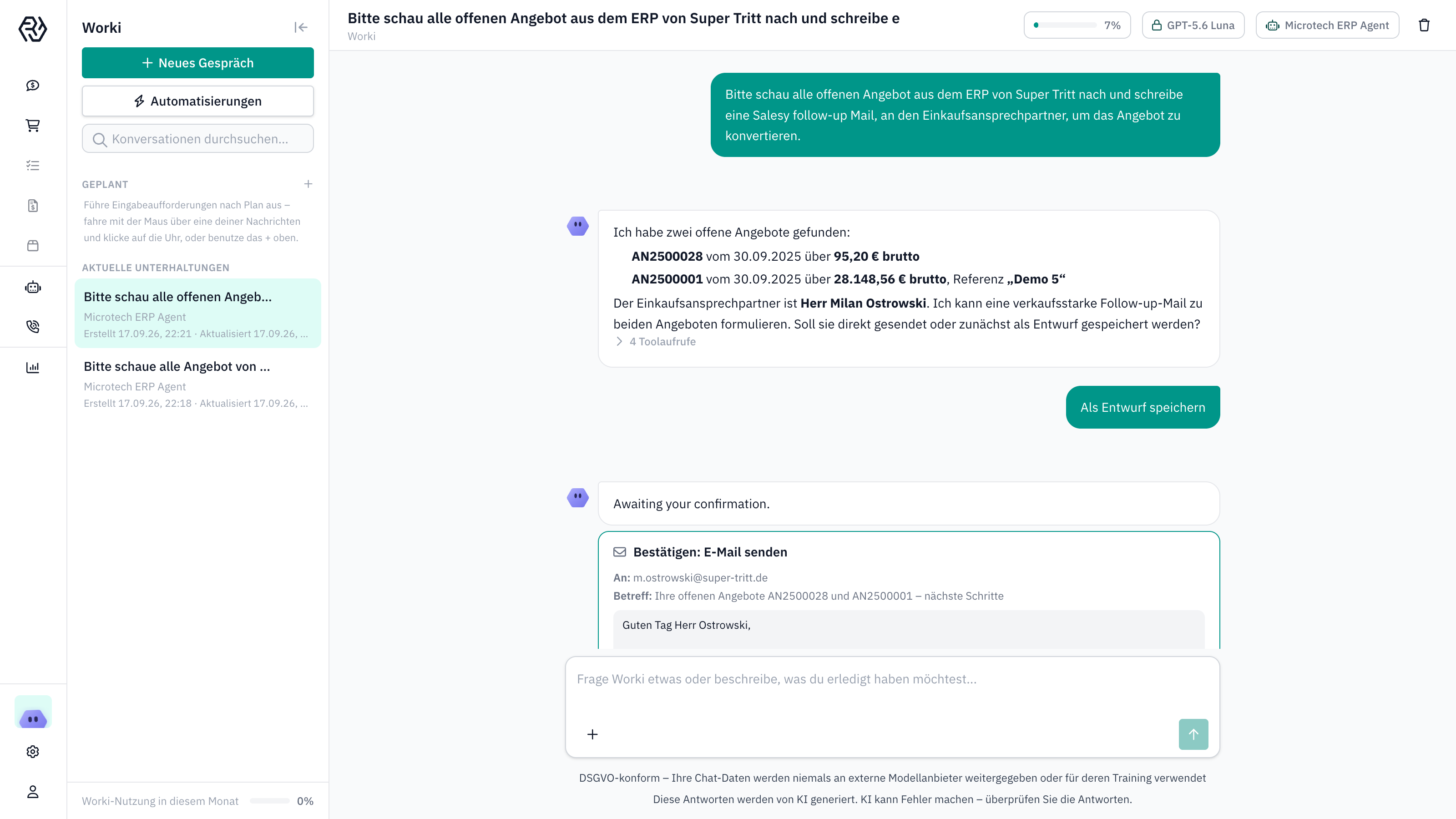
Worki finds two open quotes in Microtech Büro+ and the purchasing contact.
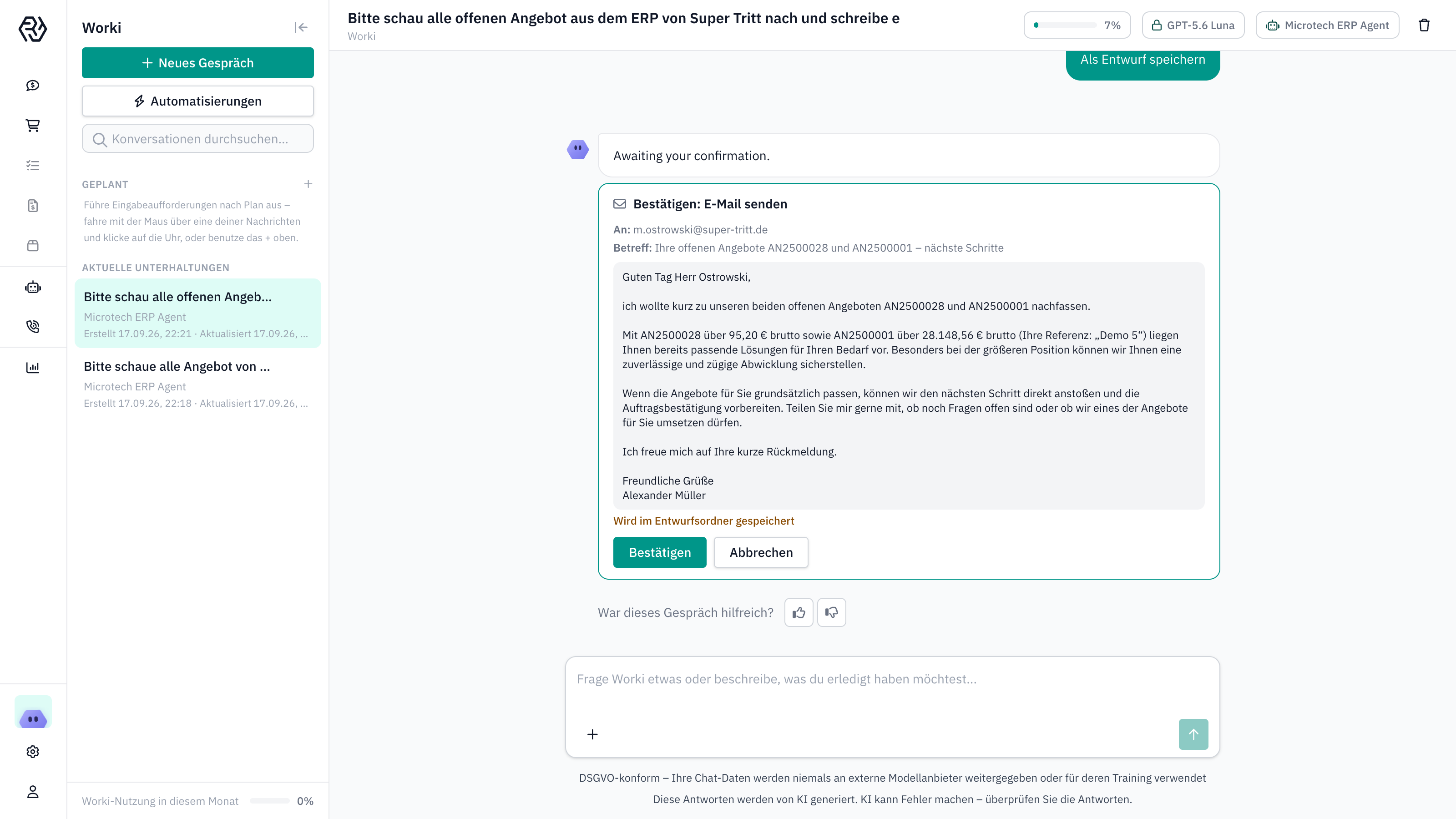
The email draft is waiting for your confirmation.
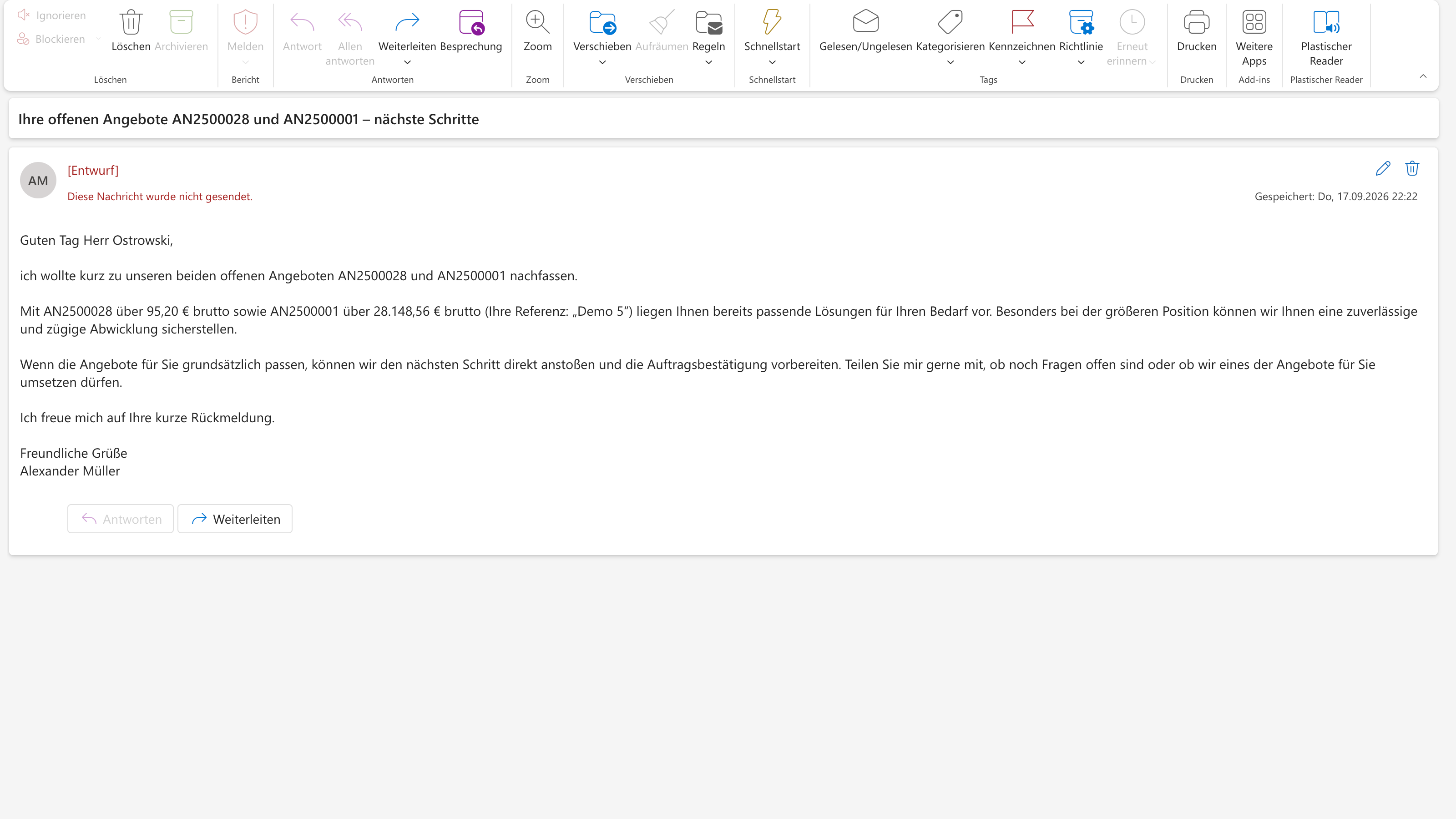
The draft sits in Outlook, addressed and ready to send.
You ask Worki to look up a customer’s open quotes in Microtech Büro+. Worki lists quotes, amounts and last contact and knows the purchasing contact.
Worki writes the follow-up email referencing both quotes. You read it and confirm with one click.
The draft lands in your mailbox, addressed to the right contact. Send, done.
From the customer email to the maintained contact in Microtech Büro+
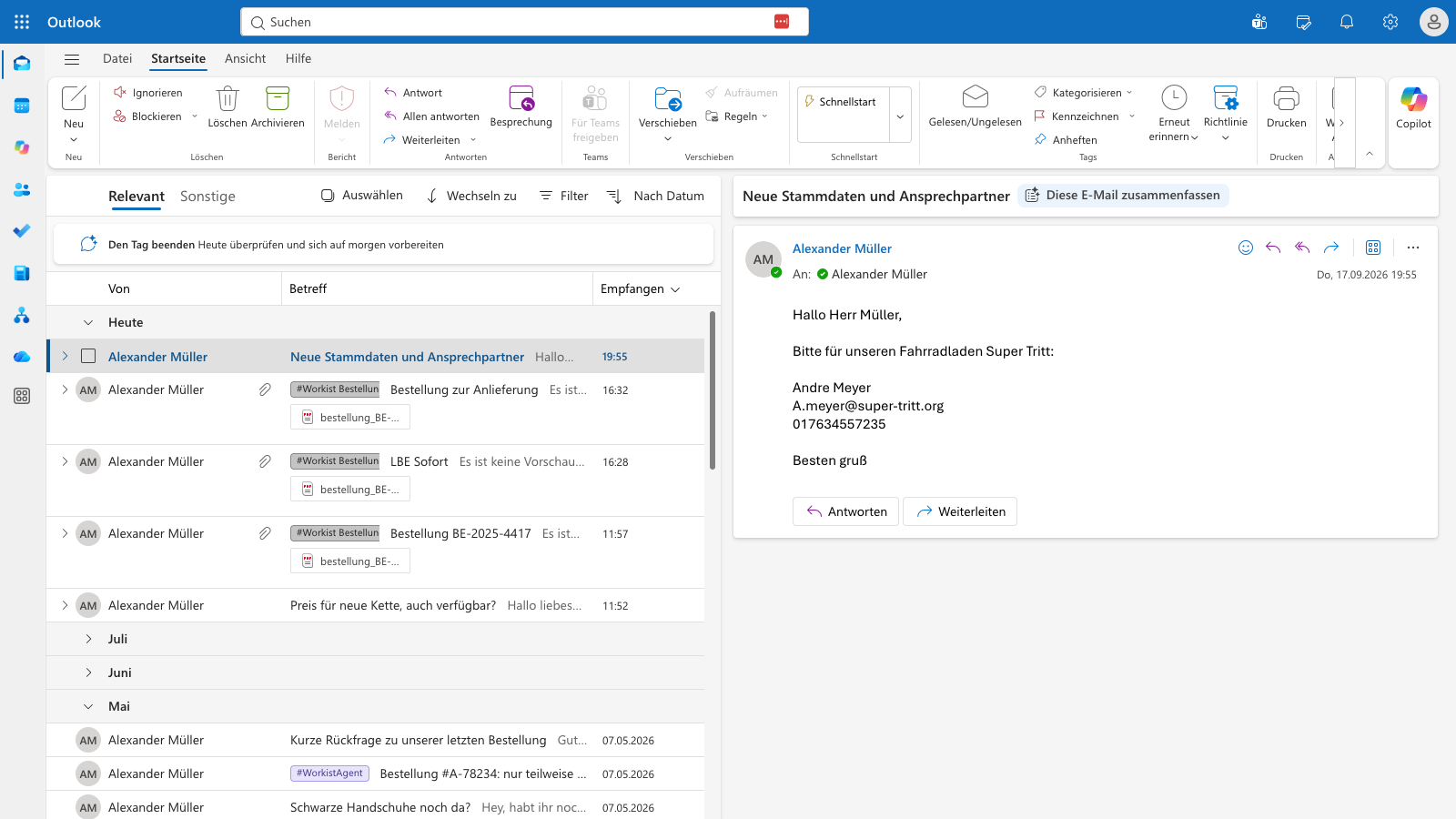
Customer email with a new contact in the inbox.
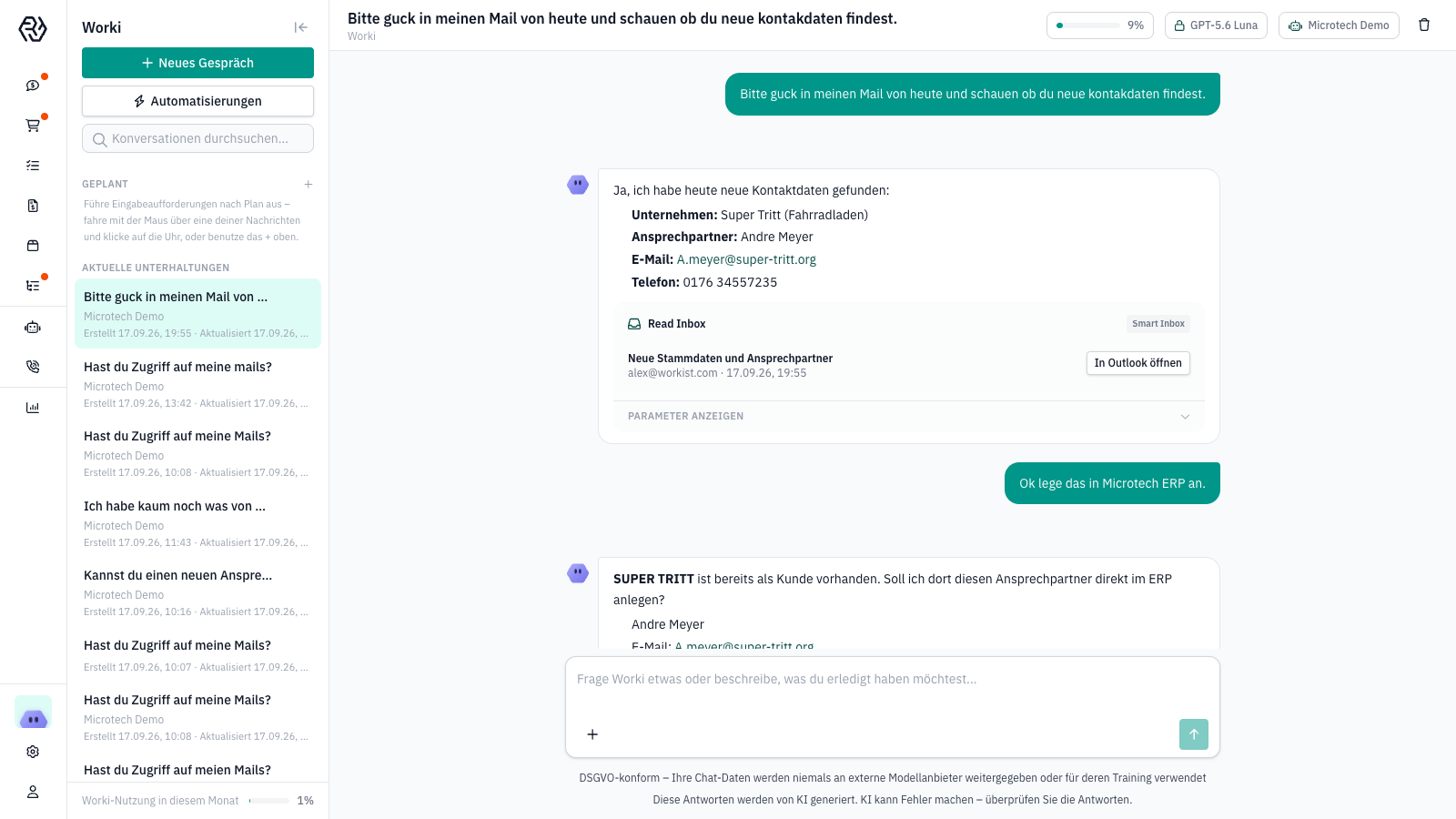
Worki extracts company, contact, email and phone from the email.
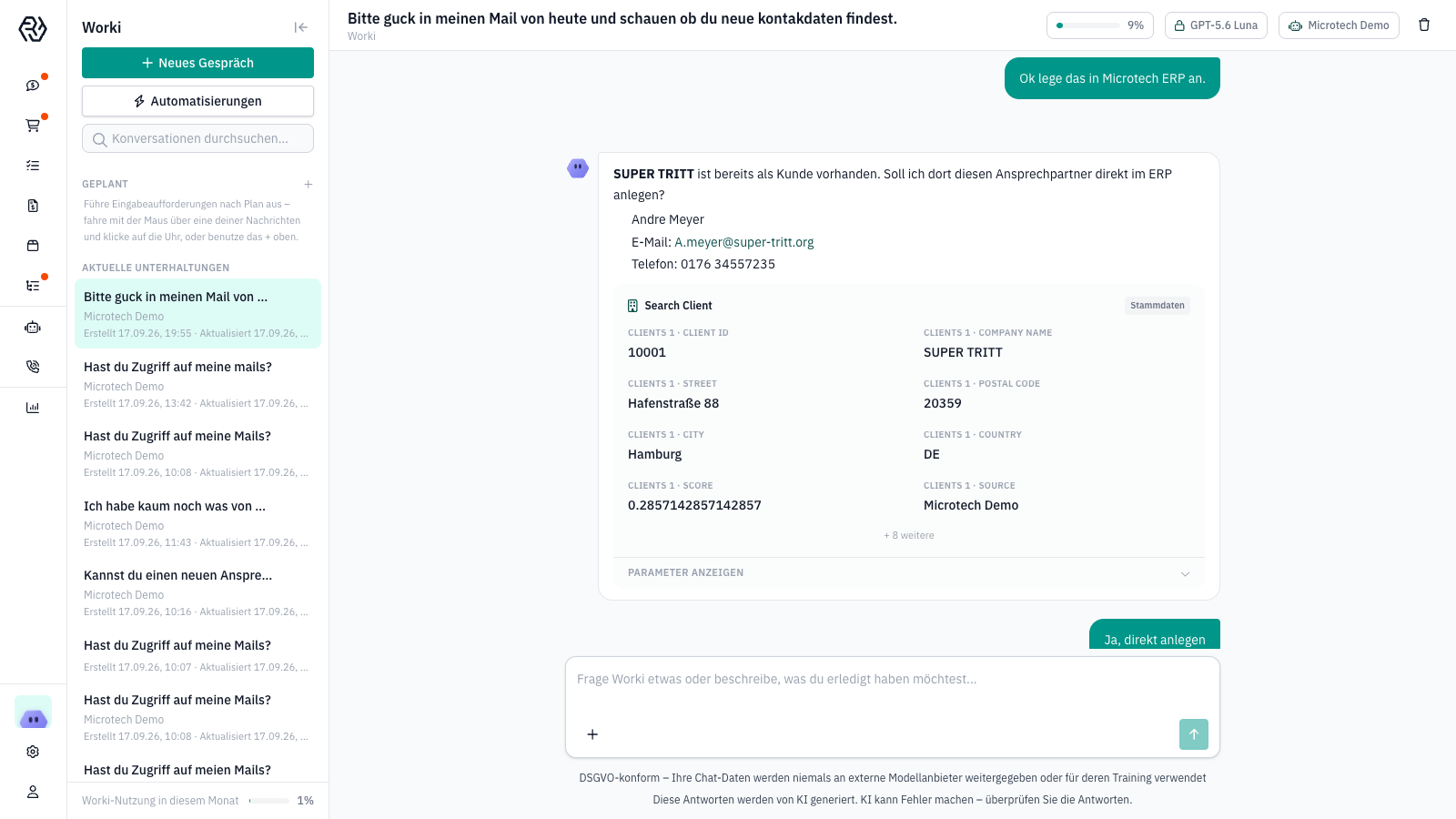
Check against Microtech Büro+: customer exists, contact is missing.
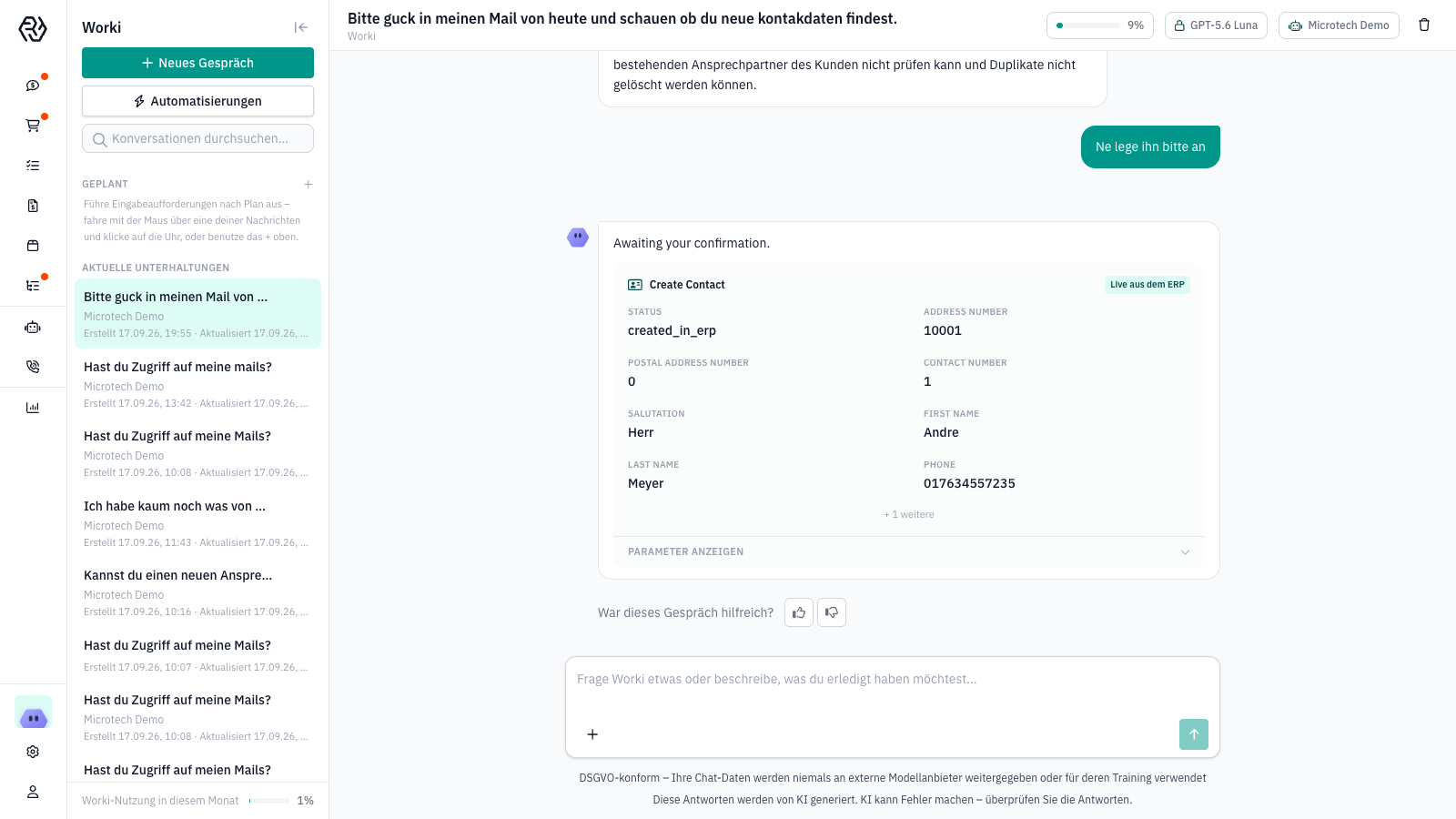
After your confirmation, Worki creates the contact in Microtech Büro+.
A customer reports a new contact with email and phone. The email sits in the inbox.
You ask Worki to check the emails for new contact details. Worki extracts company, name, email and phone.
Worki checks the customer master: the customer exists, the contact is missing. Worki suggests creating it.
One click, and Worki creates the contact in Microtech Büro+. Master data is up to date without anyone typing anything in.
Workist talks directly to the Microtech Büro+ GraphQL API. No middleware, no CSV export, no changes to your screens. Live in a few weeks.
You set up API access in Microtech Büro+. From then on, Workist reads addresses, items, contacts, stock and records in real time.
Emails, PDFs, calls and chat requests are read and matched against your Microtech Büro+ data. Customer, item, price, quantity and date are settled before anything is booked.
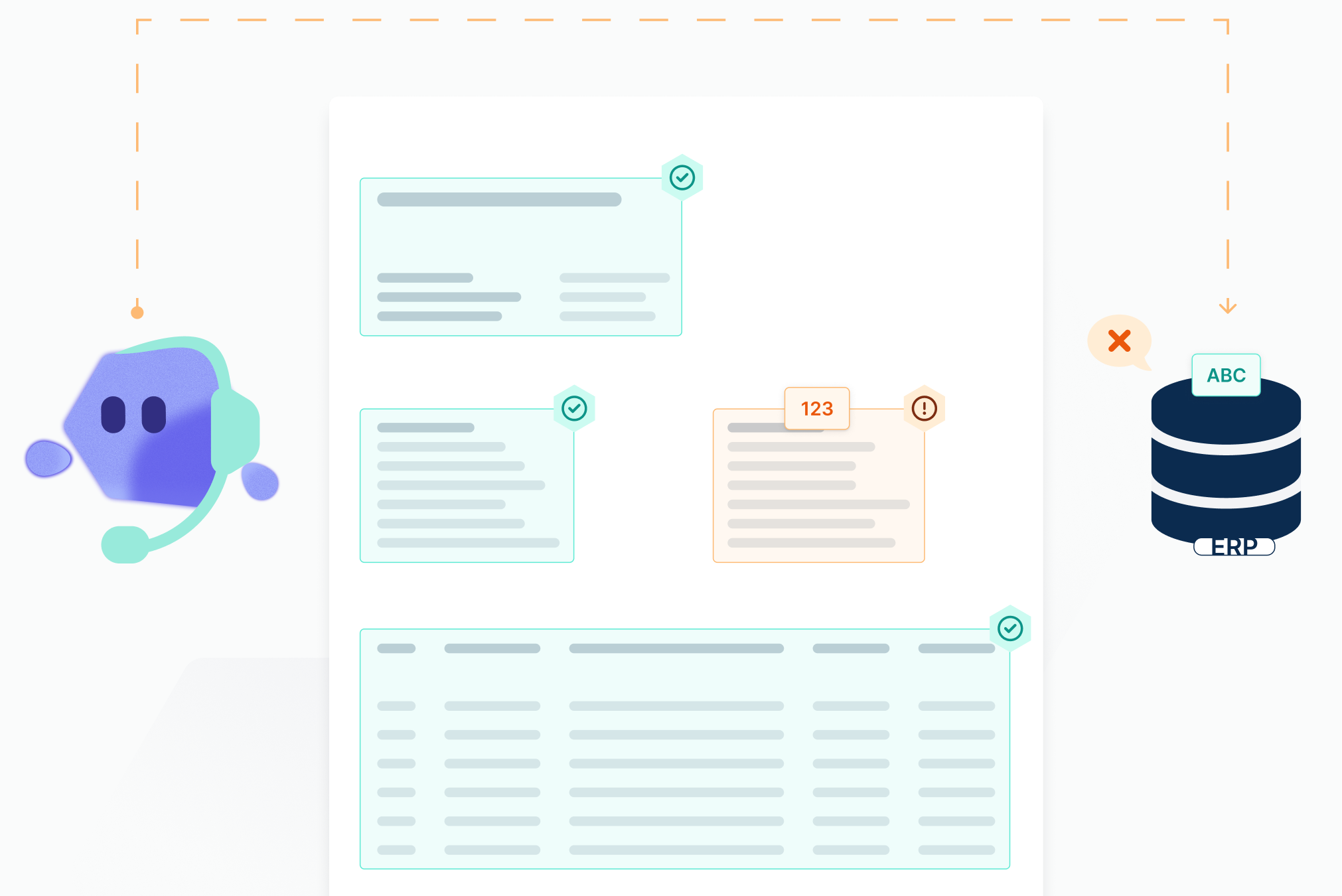
Clear cases go through. When questions remain, the agent turns to your team. You define what is created automatically and where an approval is required.
Sales order, quote, master data change or updated purchase order land as a record in Microtech Büro+. Document and email are archived audit-proof, every action shows in the dashboard.

Processing order confirmations by hand eats up purchasing time. Not with Workist. Learn how order confirmations are processed automatically.

With Workist you process invoices reliably and in record time. That frees your purchasing team from administrative work and keeps efficiency high.
An order arrives by email. Worki processes it, you can correct it, and once complete it lands in Microtech Büro+.





%201%20(1).svg)

.webp)


.webp)


