

Are you in the middle of an ERP migration, or is the kick-off meeting coming up soon? Then you know it is a massive undertaking. But it is also the biggest opportunity for your inside sales team.
A common mistake during migrations is simply transferring old, manual processes 1:1 into the new system. Implementing a new ERP system is the perfect time to set the course for future automation. If you make the right decisions about your system architecture today, automating sales processes later will be seamless and highly efficient.
Why inside sales needs to talk to IT right now
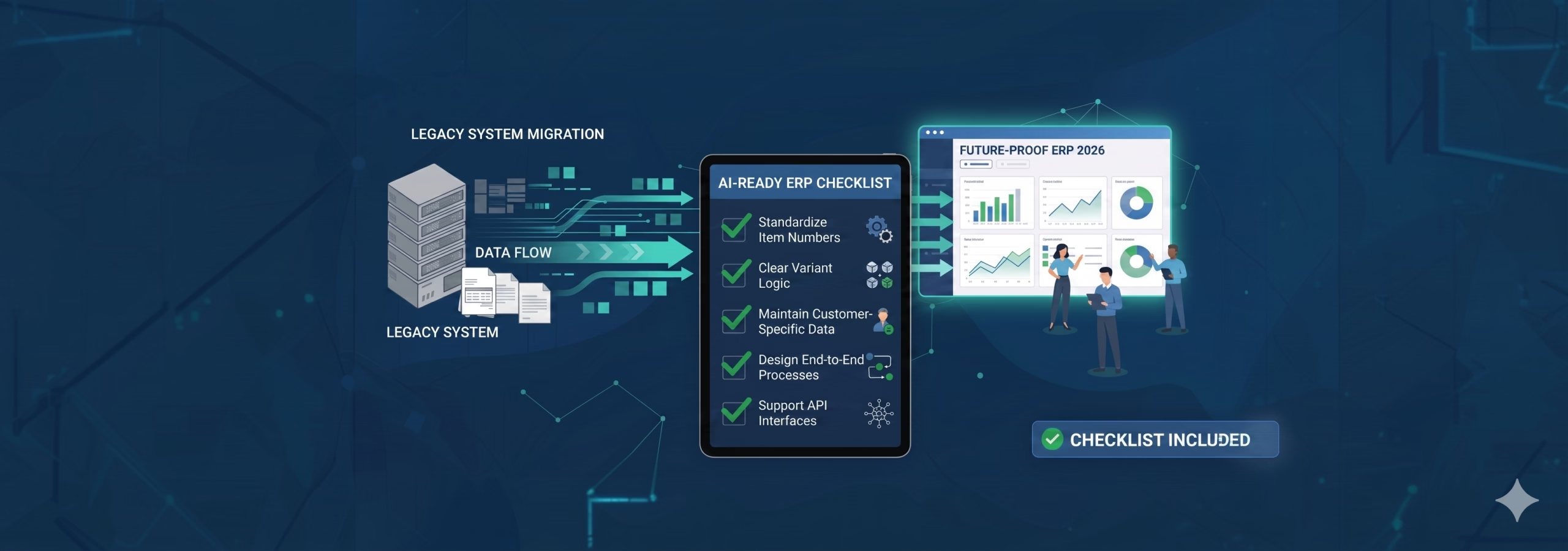
A new ERP system is not just an IT project. If the sales department wants to benefit from intelligent automation in the future, it must define the right business requirements for data and processes right now. Preparing for these technologies relies on three central pillars. These must be considered directly during implementation to make the system truly future-proof and AI-ready.
Pillar 1: Master data as the foundation for automation
Master data is the crucial tool for automating processes with software solutions. Algorithms need clarity. The higher your master data quality, the more successful your future automation will be.
- Assign item numbers according to a uniform schema: Structure your item numbers consistently (for example, always using 10 digits). You can provide this information to intelligent automation solutions, making it easier for the software to distinguish your internal numbers from the buyer's numbers and locate them on the document.
- Define unique item numbers for configurable variants: Define highly unique numbers for product variants using a clear schema (for example, 123456-01-M for item-color-size). Modern solutions can use these validation rules to extract and code valid item numbers directly from the plain text information in the order ("T-shirt", "blue", "size M").
- Maintain customer-specific item numbers: Store your customers' individual item numbers directly in your master data. If customers order using only their own internal numbers, having this information will help you achieve significantly higher match rates during automatic data validation.
- Use descriptive, unique item descriptions: If a document does not contain item numbers, the description is the most important source for matching. The more distinct it is ("Crewneck t-shirt, 2026 collection, print" instead of just "blue t-shirt"), the more reliably the system can identify the right item based purely on the description.
Pillar 2: Thinking about processes digitally from start to finish
A well-thought-out process design is essential for successful automation. You need to identify blockers early on that could stand in the way of fully automating the entire process later.
- End-to-end automation (including downstream processes): To truly relieve the sales team, process input should be automated via a smart inbox and designed digitally all the way to shipping. If employees still have to complete many manual verification steps in the ERP after the initial automated order entry, the time saved will be minimal and true no-touch processing becomes impossible.
- Define clear Human-in-the-Loop rules: Clearly determine which deviations and special cases absolutely require human intervention. Smart systems learn from clear human feedback. Arbitrary decisions slow down automation and often reveal weaknesses in existing business logic.
- Improve customer service with freed-up resources: Think about what additional services you can offer once order entry is no longer limited by human capacity. The time gained can be perfectly used for faster order confirmations, shorter shipping times, or higher-quality consulting.
Pillar 3: Planning for integration with other systems
The ERP system is the central nervous system of your company. In the digital world, interfaces are crucial for enabling data exchange and smooth communication with other systems.
- Consider interfaces and data flows: Ensure your new ERP system supports modern APIs for third-party programs. This helps you avoid expensive, time-consuming custom development later and enables a fully automated data flow to other systems (such as a DMS or automation software) without human interaction.
- Evaluate introducing a modern middleware (optional): If modern interfaces for the ERP system are not possible or desired, you should look into acquiring a middleware solution (like Workato, Lobster, or Seeburger). This additional data layer helps with data normalization and simplifies exchange with external partners.
- Reuse existing validation mechanisms: The exact same validation logic your system already uses for incoming EDI orders can also be applied to check orders processed by AI. This creates a massively higher level of automation without adding complexity to the technical process.
Conclusion: Take this checklist to your next IT meeting
Ideally, an ERP migration builds an agile platform for the future rather than a rigid monolith. Use the current momentum of your project. It is best to share the following points directly with your IT project manager to ensure the groundwork is laid properly for using automation in inside sales: